 Skip to content
Do you want free traffic from Google but don’t know where to start? Don’t worry.
Start with On-Page SEO!
Many new bloggers and website owners struggle with On-Page SEO. It sounds technical, but it doesn’t have to be.
In this guide, you’ll get:
- Easy-to-follow SEO tips
- Real examples you can copy
- A free checklist to speed things up
No jargon. No stress. Just results. Let’s start with;
a. What is On-Page SEO?
On-page SEO refers to optimizing your website’s web pages so that Google and your visitors can understand them more effectively.
It’s about making your content useful, having a clear structure, and using keywords that are easy to find.
Everything happens on your site, but you control it.
Key parts of on-page SEO:
- Writing helpful content: Create pages that answer real questions and give value.
- Using the right keywords: Add terms your readers search for, naturally.
- Structuring pages clearly: Use headings, clean URLs, and smart layouts so Google can crawl your site easily.
When your content is helpful and your site is well-organized, you increase your chances of ranking higher in search results.
Step-by-Step Guide to On-Page SEO
Here are the 10 steps to improve your on-page SEO, which you can follow;
1. Create Original, helpful Content
When creating content, originality is key.
Avoid copying others; instead, focus on crafting unique pieces that provide real value to your audience.
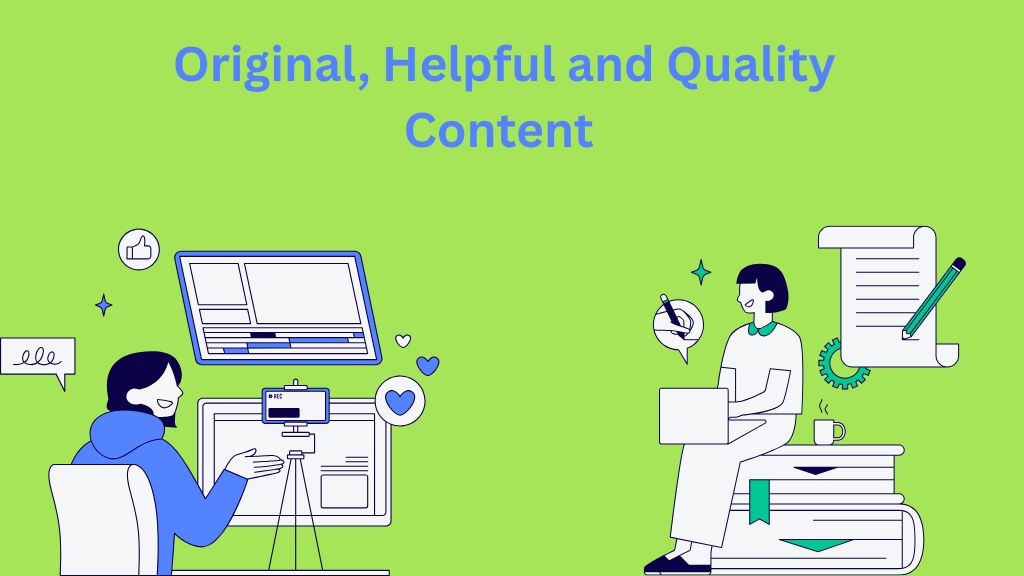
To create helpful content, follow this:
- Solve a Problem: Consider your audience’s challenges and create content that offers solutions. If people are struggling with something specific, your content should aim to make their lives easier.
- Answer a Question: If your target audience is searching for answers, ensure your content addresses those questions clearly and thoroughly.
2. Use Keywords Naturally
Natural keywords are essential for SEO because they help Google understand your page’s topic, making it easier for your audience to find your content.
Here’s how you can do it effectively:
- Include Your Focus Keyword in Key Areas: Ensure your focus keyword appears in important locations like the title, URL, first paragraph, and a few subheadings. This signals to search engines that the content is relevant to the search query.

- Use Variations and Related Terms: Instead of repeating the same keyword, use variations and related terms.
- For example, if your focus keyword is “content writing mistakes,” You might also include terms like “Common content writing errors.”, “Content writing tips for beginners,” or “How to avoid writing mistakes”.
- Don’t Overdo It: While keywords are important, your primary audience is humans, not search engines. So, focus on writing natural, engaging content. Overloading your content with keywords can make it sound forced or awkward, which might turn readers off.
3. Write Clear Title Tags (Under 60 Characters)
The title tag is crucial because it’s the clickable link in search results that leads users to your page.

To stand out in your title, do this:
- Keep It Short and Specific: Aim for titles under 60 characters. This ensures the full title is visible in search results and is easy for users to read. Conciseness is key to grabbing attention.
- Incorporate Your Focus Keyword: Make sure your title tag is rich in keywords, but still reads naturally. Including your focus keyword near the beginning of the title is beneficial for SEO.
- Make It Engaging: Your title should give users a clear idea of what the content is about and why it’s valuable. Be specific and provide enough context to entice people to click.
Example:
- “Top 14 On-Page SEO Ranking Factors: Get More Traffic Easily” is a clear, concise title.
It includes the focus keyword “On-Page SEO” and appeals to beginners, making it relevant and clickable.
4. Add Compelling Meta Descriptions (Under 160 Characters)
The meta description is the brief text that appears beneath your title in Google search results.

How to make it compelling? Follow this:
- Clearly Describe the Page: Summarize what your page is about in a concise, straightforward way. Let users know what they can expect from your content.
- Include Your Main Keyword: Including your focus keyword in the meta description helps with SEO. It ensures that your page is relevant to search queries.
- Encourage Clicks: Write the description in a way that sparks curiosity or provides a reason for users to click. It should promise value or benefit.
5. Organize with Headings (H2, H3)
Headings are important not only for the structure of your content but also for SEO.
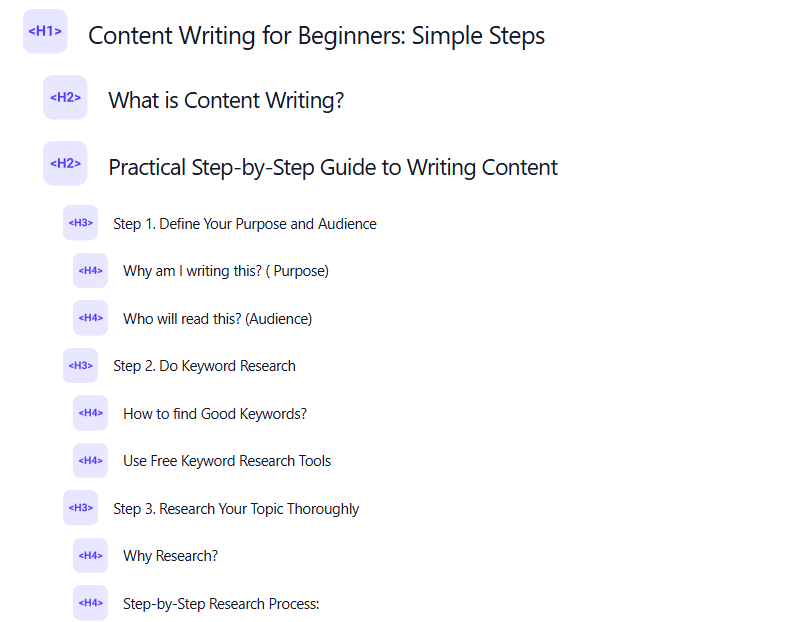
To use headings effectively:
- Use H2 for Main Points: Use H2 headings to structure your content into key sections or topics. These are the main points that you want readers to focus on. H2 headings help Google understand the primary topics of your content.
- Use H3 for Sub-Points: Under each H2, use H3 headings for further details or sub-points. These help break down complex information and make your content easier to read and scan.
- Add Keywords Where It Makes Sense: Whenever relevant, include your focus keyword or related terms in your headings. However, ensure that it makes sense within the context of the content—don’t force it. This helps with SEO and improves clarity for readers.
6. Keep URLs Short and Clean
URLs are an important part of both user experience and SEO.

Here’s how to make sure your URLs are optimized:
- Keep Them Simple: Avoid long, complicated URLs with unnecessary characters. A short, clear URL is easier for users to remember and share.
- Include Your Main Keyword: Include your focus keyword in the URL to help search engines understand what the page is about. This also makes it more relevant to search queries.
- Avoid Unnecessary Parameters: URLs with random numbers or parameters (like “post?id=2025”) are harder to read and less meaningful.
Always aim for a clean, descriptive URL that tells users exactly what they can expect.
Good Example: https://sumanstha.com/content-writing-for-beginners/
Bad Example: yourblog.com/post?id=2025-onpg-seo
7. Add Internal Links
Internal links are links that connect one page of your website to another.
They play a key role in improving user experience and SEO.
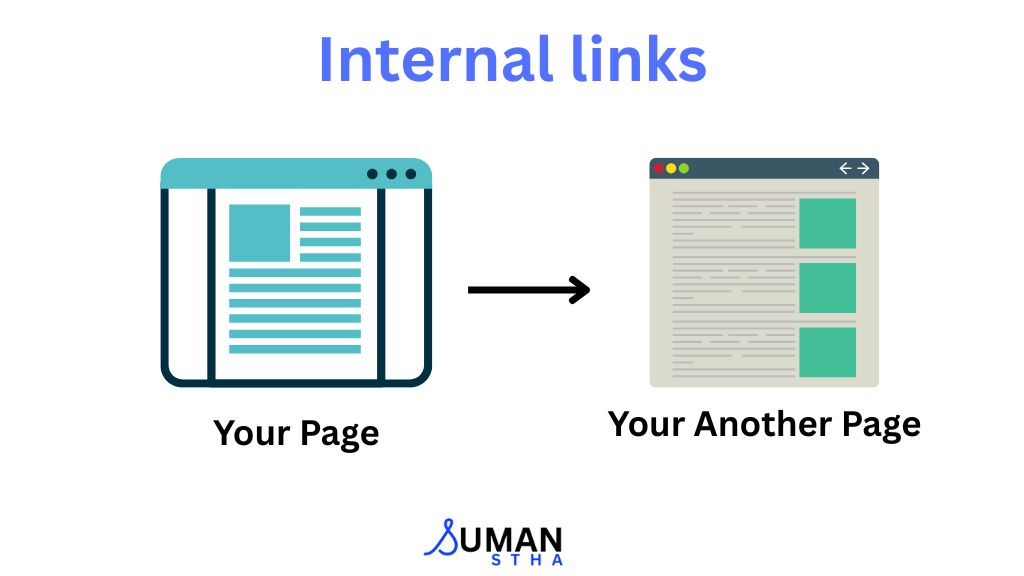
Why you should use them:
- Keeps People Exploring Your Site: By linking to related content within your site, you encourage visitors to stay longer and explore more of your pages. This reduces bounce rates and increases engagement.
- Helps Google Find and Rank More Content: Internal links help search engines crawl your website more effectively. When you link to other pages, you’re guiding Google to discover and index more of your content, which can help improve your rankings.
- Builds Topical Authority: Linking to related content within the same topic helps establish your site as a comprehensive resource. It signals to Google that your site has authoritative, in-depth coverage of certain subjects.
8. Add External Links
External links are links that point to other websites.
Here’s why they are important:
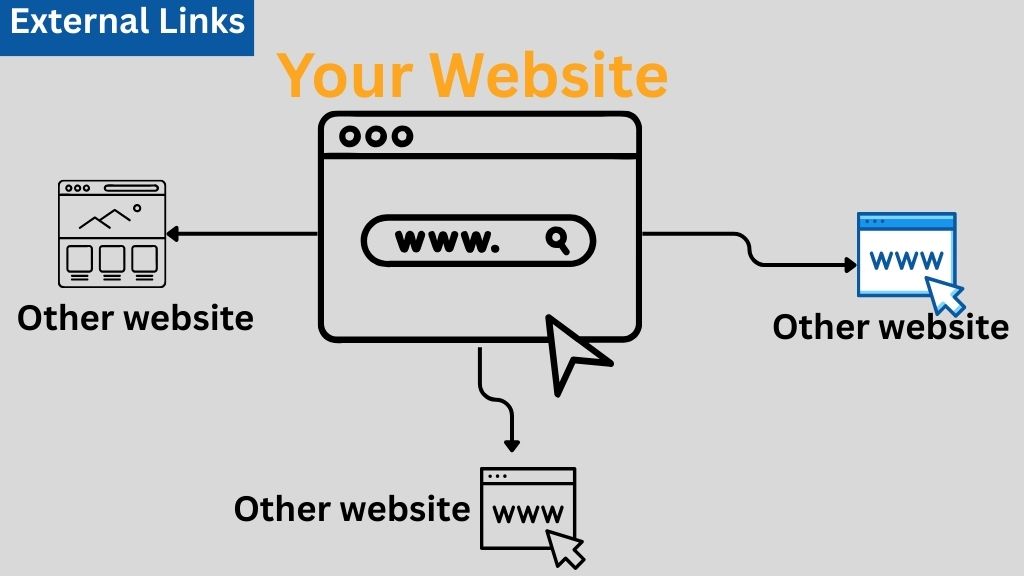
- Shows You’ve Done Your Research: Linking to reputable, high-authority sources demonstrates that you’ve researched your topic thoroughly and are providing well-supported information.
This builds trust with both your readers and search engines.
- Adds Trust and Authority: When you link to authoritative, trustworthy sources (like government sites, well-known publications, or experts in your field),
- Don’t Link to Direct Competitors: While it’s important to link to valuable external sources, avoid linking to your direct competitors unless necessary.
You want to share useful and trustworthy information without sending people to other websites that offer the same services or products as yours.
9. Optimize Images
Large images can slow down your website, which may negatively impact user experience and SEO.
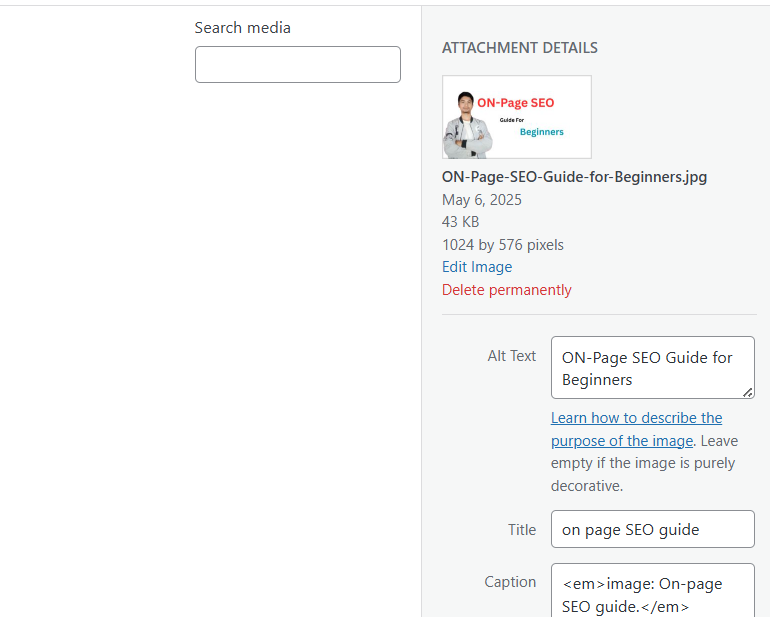
To optimize them (Images) for better performance:
- Compress Images Before Uploading: Before uploading images to your site, compress them to reduce file size without sacrificing quality.
Tools like TinyPNG or ShortPixel can help you do this efficiently.
- Add Alt Text: Alt text (alternative text) is a short description of an image that is displayed if the image cannot load. Search engines use alt text to understand what an image is about.
It also helps screen readers assist users with visual impairments.
10. Mobile and Desktop-Friendly Design
In today’s world, your website must perform well on mobile devices and desktops.
Here’s how to ensure your site is accessible and functional on all devices: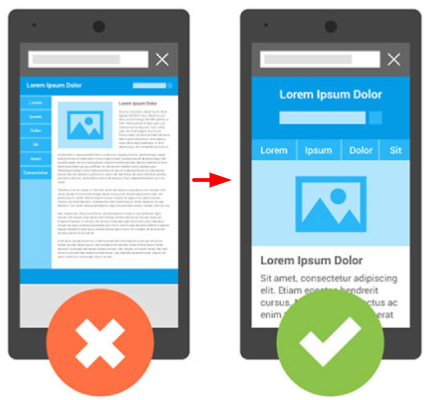
- Use a Responsive Theme: A responsive design automatically adjusts to different screen sizes, ensuring your website looks great and functions well on both phones and desktops. This is crucial for providing a consistent user experience.
- Keep Fonts Readable: Make sure your text is large enough and easy to read on smaller screens. Avoid using tiny fonts that could strain the eyes on mobile devices. Optimize for legible font sizes and line spacing.
- Ensure Buttons and Menus Are Easy to Tap: On mobile devices, buttons and menus should be large enough to tap easily. Make sure there’s enough space between interactive elements so users can navigate easily.
- Test with Google’s Mobile-Friendly Test: Google’s Mobile-Friendly Test allows you to check how your site performs on mobile devices. It will give you insights into areas that may need improvement.
Why is On-Page SEO Important?
Here is why it’s important:
- Rank Higher: Helps you appear at the top of Google search.
- Get More Visitors: Higher rankings mean more people visit your site.
- Improve User Experience: Makes your site easier to read and use.
- Free Long-Term Traffic: Brings you visitors without paying for ads.
- Stand Out: Most websites ignore SEO—doing it can give you a big advantage
Advanced On-Page SEO Strategies
I hope you understood basic On-page SEO.
Now let’s level up with some advanced strategies:
Optimize for Featured Snippets
Featured snippets are the answer boxes that appear at the top of Google search results.
They help you get more clicks—even if you’re not ranked #1.

How to do it:
- Use question-style headings (e.g., “What is On-Page SEO?”)
- Write a clear and direct answer in 40–60 words
- Use bullet points or tables to make answers easy to read
Add Schema Markup
Schema markup is a small piece of code that helps Google understand your content better and show extra details (like FAQs, ratings, or steps) in search results.
This can make your page stand out and get more clicks.

How to use it:
- Add an FAQ schema if your content answers common questions
- Use the How-To schema for step-by-step guides or tutorials
- Use free tools like technicalseo.com to generate the code easily
Adding schema = more visibility and better-looking search results.
3. Optimize for Page Speed
A fast-loading website gives users a better experience and helps you rank higher on Google.
How to speed up your site:
- Compress images before uploading
- Choose a reliable, fast hosting provider
- Remove unused plugins or scripts that slow things down
- Test your site using PageSpeed Insights and follow the suggestions
Conclusion
You don’t need to be an expert or spend money to do on-page SEO.
You need to:
- Follow these 10 simple steps
- Stay consistent with every new page you publish
- Keep learn other resources as well and improve yourself
Start with one post. Apply what you learned. Then move to the next.
Learn on-page SEO ranking factors.
Get your free On-Page SEO Checklist to improve your site’s ranking!
FAQs:
Here are the frequently asked questions by users.
1. How to start on-page SEO?
To start on-page SEO, just focus on improving your website pages. Begin with these simple steps:
- Choose the right keyword for each page (what people type in Google).
- Use that keyword in the title, headings (H1, H2), and a few times in the content.
- Write helpful and clear content that solves the reader’s problem.
- Add internal links (links to other pages on your website).
- Use images with alt text (a short description of the image).
- Make sure your page loads fast and looks good on mobile.
2. How can I start SEO as a beginner?
If you’re a beginner, here’s how to start SEO:
- Learn about keywords (words people search on Google).
- Create helpful content around those keywords.
- Do on-page SEO, like using keywords in titles, adding images, making the page fast, etc.
- Do off-page SEO, like getting other websites to link to your content.
- Keep learning through blogs, YouTube, or online courses.
3. What is basic onsite SEO?
Basic onsite (or on-page) SEO means optimizing parts of your website so search engines can understand it better. Here are the basics:
- Title and headings should include your keyword.
- URL should be clean and short (example.com/seo-guide).
- The meta description should tell what the page is about.
- Content should be helpful, easy to read, and keyword-rich.
- Images should have alt text.
- Website speed and mobile-friendliness also matter
4. What is the 80/20 rule for SEO?
The 80/20 rule means that 80% of your results come from 20% of your efforts.
In SEO, it means:
- Only a few of your blog posts or pages will bring most of the traffic.
- So, focus on creating high-quality content around the right keywords.
- Don’t try to do everything. First, do the most important tasks, like keyword research, writing good content, and getting backlinks.

I have learn some good stuff here. Certainly value bookmarking for revisiting.
I surprise how a lot attempt you put to create such a excellent
informative web site.
Thank you for your feedback