
Monthly SEO Report Checklist: What Your Nepal SEO Expert Should Show You Every Month
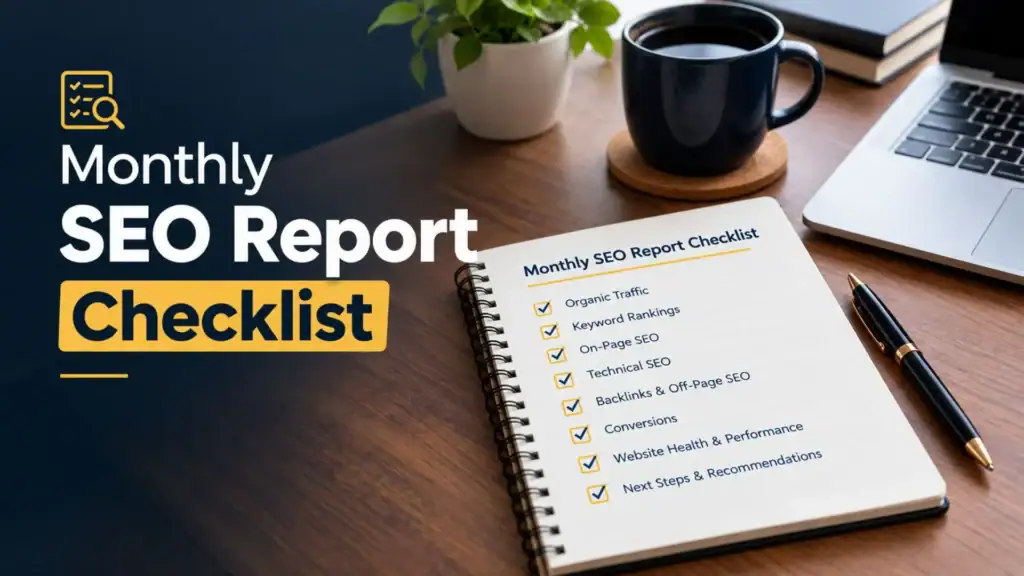
A monthly SEO report shows you 5 things: the results in your own Google accounts, proof of the work done, an explanation of why the numbers moved, the plan for next month, and access to the raw data. A report that answers those 5 points is an accountability document. A report that only shows a traffic chart is a status update.
This checklist is written for business owners in Nepal who already pay for SEO or plan to. It supports my guide to working with an SEO expert in Nepal, which explains the full service, process and pricing.
What should a monthly SEO report show you?
A monthly SEO report answers 4 questions: what changed, why it changed, what work was done, and what happens next month. Every number in the report connects to one of those 4 questions. A number with no explanation is decoration, not reporting.
The 5 parts of a complete report are shown below. The rest of this guide explains each part and the question to ask your SEO expert about it.
Search Console, GA4, enquiries and Google Business Profile numbers, compared with earlier periods.
A dated work log with the URLs of pages changed, fixes made, content published and links won.
A plain explanation of why each number moved, including seasons and data limits.
3 to 5 ranked priorities, each with an owner and a measure.
Owner access to your own Search Console, GA4 and Business Profile, so you can check every number.
Which results should every report include?
Every monthly SEO report includes 6 result areas: Google Search Console performance, GA4 organic sessions and key events, leads and enquiries, Google Business Profile activity, rankings for an agreed keyword set, and page experience. Search Console and GA4 come from free Google tools that you own. Each result area tells you something different, and each has limits.
What should the Search Console section show?
The Search Console section shows 4 metrics from the Performance report: clicks, impressions, click-through rate (CTR) and average position. Google Search Console is Google’s free tool that reports how your site appears in Google Search. A click is a visit from a search result. An impression is one appearance of your page in a search result. CTR is clicks divided by impressions.
The section also lists the top queries and top pages, with a comparison period beside each number. Search Console keeps 16 months of performance data, so a year-on-year comparison is always possible after the first year.
- What it tells you: how often Google shows your pages and how often people choose them.
- What it does not tell you: what visitors did after they arrived, or whether they became customers.
What should the GA4 section show?
The GA4 section shows organic search sessions and key events from those sessions. Google Analytics 4 (GA4) is Google’s analytics tool that records what visitors do on your website. Key events are the actions you mark as valuable, such as a contact form submission, a click on your phone number or a click on your WhatsApp button. Google renamed GA4 “conversions” to “key events” in 2024, so older reports use the old name for the same idea.
- What it tells you: whether search visitors take the actions that lead to business.
- What it does not tell you: phone calls made from a number someone wrote down, or messages sent through apps outside your site.
How should leads and enquiries be reported?
Leads and enquiries are reported as a count by channel, including offline channels. In Nepal, many customers call, send a WhatsApp or Viber message, or write on Facebook Messenger instead of filling in a form. GA4 cannot see these conversations on its own. A simple enquiry tally at reception, a “How did you find us?” question, or a separate tracking number fills that gap.
The report shows the tally next to the online key events. The 2 numbers together are closer to the real effect of SEO than either number alone.
What should local businesses see from Google Business Profile?
Local businesses see 4 Google Business Profile numbers: calls, direction requests, website clicks and new reviews. Google Business Profile is the free listing that shows your business on Google Maps and in the local results. A clinic, restaurant, hotel or shop gets many customers from this listing without a website visit, so these numbers belong in the report. The Local SEO Services in Nepal page explains how this listing is managed.
Should rankings be in the report?
Rankings belong in the report, but only for a keyword set agreed at the start of the project. The set covers the languages your customers search in: English, Romanized Nepali such as “sasto hotel pokhara”, and Devanagari. Rankings are evidence of progress, not the goal. The goal is clicks and enquiries from those rankings.
Do you need AI search visibility in the report?
AI search visibility is an optional, newer part of the report. It covers whether your business appears in Google AI Overviews or is mentioned by tools such as ChatGPT and Gemini. No single standard tool measures this yet. Ask your SEO expert which queries they check, how often, and how they record the result.
How should the report prove the work that was done?
The report proves the work with a dated work log that lists the URL of every page changed, every fix made, every piece of content published and every link won. You can open each URL and see the change. A sentence such as “on-page optimisation completed” with no URLs is not proof.
The work log covers 4 types of work:
- Pages changed: the URL, what changed (title, headings, content, internal links) and the reason for the change.
- Technical fixes: the issue, the pages affected and the date the fix went live. The Technical SEO Services in Nepal page lists the usual issues.
- Content published: the URL of each new article or page update, with its target topic.
- Links and mentions won: the live URL of each placement and the outreach list behind it.
Compare the log with the monthly deliverables in your agreement. A typical scope covers technical checks and fixes, keyword and page optimisation, content, links and mentions, and reporting. Each line in the scope has a matching line in the log. Items that wait on you, such as content approvals or developer tasks, appear in a separate list. That list shows where delays come from.
Why do link reports need live URLs, not just counts?
Link reports need live URLs because a count cannot be checked. With the URL, you open the page, confirm that the link exists, and judge whether the site is relevant to your business. A link from a Nepali travel publication helps a trekking agency. A link from an unrelated foreign directory does little. The Off-Page SEO Services in Nepal page explains how relevant links are earned.
How do you read the numbers without being misled?
Read SEO numbers correctly by comparing the right periods, separating branded from non-branded searches, and knowing what each metric leaves out. A drop in one month is not always bad news, and a rise is not always progress. The 5 checks below prevent the most common misreadings.
Why compare with the same month last year?
Year-on-year comparison removes the effect of seasons. Demand in Nepal changes sharply through the year. Trekking and tour searches peak in the spring and autumn seasons. Retail and gift searches rise before Dashain and Tihar. Education searches follow exam results and admission periods. A trekking agency that compares July with May sees a drop that has nothing to do with SEO. The same agency that compares July with last July sees the real trend.
Why split branded and non-branded searches?
Branded searches include your business name, and non-branded searches do not. Branded searches grow from offline marketing, word of mouth and social media. Non-branded searches, such as “dental clinic in Lalitpur”, show whether SEO brings new customers who did not know your name. A report that mixes both hides the real effect of SEO.
What does it mean when impressions rise but clicks don’t?
Rising impressions with flat clicks usually mean 2 things. First, your pages have started to rank on page 2, where people see them less and click them rarely. Second, AI Overviews and other search features answer some queries directly, so fewer people click any result. The first case is an early sign of progress: impressions often rise in months 2 to 3, before clicks follow in months 4 to 6.
Why don’t GA4 and Search Console numbers match?
GA4 and Search Console measure different things. Search Console counts clicks on Google Search results. GA4 counts sessions on your website from every source it can identify. One click does not always produce one recorded session: a visitor who declines cookies, leaves before the page loads or uses a blocker is missing from GA4. Small differences between the 2 tools are normal. A large, sudden gap points to a tracking problem worth checking.
Why can average position mislead?
Average position misleads because it is averaged across every query that showed your site. According to Google’s Search Console help pages, the figure is based on the topmost position your site held for each query. A site that starts to appear for 100 new queries at position 40 sees its average position drop, even though its reach grew. Read average position for one query or one page at a time, never as a site-wide score.
What should the next-month plan include?
The next-month plan includes 3 to 5 priorities ranked by impact and effort, the person responsible for each one, any blockers, and the number that will show whether it worked. The plan turns the report into action. A report with no plan leaves you to guess what your fee pays for next month.
- Priority: for example, “rewrite the 3 service pages that rank on page 2”.
- Owner: the SEO expert, your developer or your team.
- Blocker: anything that stops the work, such as missing hosting access.
- Needed from you: approvals, photos, prices or answers to questions.
- Measure: the metric checked next month, such as clicks to those 3 pages.
What are the warning signs of a weak SEO report?
The 6 warning signs of a weak SEO report are rankings with no Search Console data, an automated PDF with no explanation, link counts with no URLs, KPIs that change every month, no access to your own accounts, and date ranges chosen to hide drops. One sign is a reason to ask questions. Three or more signs show a reporting problem.
The report shows rankings or third-party scores such as DA or DR, but no clicks or impressions from Search Console.
An automated export arrives with no written summary and no review call.
“25 backlinks built” with no list of live pages you can open.
Each report highlights a different metric, usually whichever one went up.
The Search Console, GA4 or Business Profile account belongs to the SEO provider, not to you.
The comparison period changes from report to report, which hides drops.
Account ownership matters most. Your business owns its Search Console, GA4 and Google Business Profile accounts, and your SEO expert works in them with user access. With owner access, you check any number in the report yourself, and you keep your data when the contract ends.
How often and in what format should you get the report?
You get the SEO report once a month, as a written summary with a live dashboard or data export behind it, followed by a review call. Monthly is the right rhythm because SEO changes take weeks to show in the data. Weekly reports add noise. Quarterly reports leave problems unnoticed for too long.
- Written summary: 1 to 2 pages that explain the results, the work done and the plan in plain language.
- Dashboard or export: a Looker Studio dashboard or a sheet built from your own accounts, so the numbers are traceable.
- Review call: a short meeting to go through the report and agree next month’s priorities.
- Language: the explanation in the language you work in, English or Nepali.
Reporting is part of every serious SEO package, not an extra. The SEO Cost in Nepal guide shows what each budget tier includes, and the Pricing page lists the packages.
What is the complete monthly SEO report checklist?
The following checklist lists 16 items a complete monthly SEO report covers, where the data comes from, what good looks like, and the question to ask your SEO expert. Tick each item as you review your next report.
| Item | Checked? | Where the data comes from | What good looks like | Question to ask |
|---|---|---|---|---|
| Search Console clicks and impressions | Search Console > Performance | Shown with a comparison period | Which pages drove the change? | |
| CTR and average position | Search Console > Performance | Read per page or query, not site-wide | Which queries moved the average? | |
| Top queries and top pages | Search Console > Performance | Split into branded and non-branded | How much of the growth is non-branded? | |
| Organic sessions | GA4 > Reports > Acquisition | Organic search shown on its own | Does this match the Search Console trend? | |
| Key events from organic search | GA4 > Key events | Forms, phone clicks and WhatsApp clicks tracked | Which key events are set up? | |
| Offline enquiries | Your enquiry tally or tracking number | Calls and messages counted by channel | How are phone and WhatsApp leads counted? | |
| Google Business Profile activity | Business Profile > Performance | Calls, directions, website clicks, reviews | What changed on the profile this month? | |
| Agreed keyword rankings | Rank tracker or Search Console | The same keyword set every month | Is this the keyword set we agreed? | |
| Page experience and Core Web Vitals | Search Console > Core Web Vitals | No new poor URLs, or a fix plan | Which pages are slow and why? | |
| Year-on-year comparison | Search Console (16 months of data) | Used for seasonal months | How does this month compare with last year? | |
| Work log with URLs | The SEO report | Every change dated and linked | Can I see the pages you changed? | |
| Links and mentions won | The SEO report | Live URLs from relevant sites | Which placements went live this month? | |
| Items waiting on you | The SEO report | A separate list with dates | What do you need from me? | |
| Explanation of changes | The written summary | Every big rise or drop explained | Why did this number move? | |
| Next-month plan | The written summary | 3 to 5 priorities with owners | What will you measure next month? | |
| Owner access to your accounts | Search Console, GA4, Business Profile settings | You are the owner of all 3 | Can I check these numbers myself? |
A report that covers all 16 items gives you enough to judge the month without technical knowledge. Missing items are the first questions for your next review call.
What does Suman’s own monthly report include?
Suman’s monthly report is a written report with a review call, built from your own Search Console, GA4 and Google Business Profile accounts. It follows the 5 parts in this checklist: results, proof of work, analysis, next-month plan and data access. I lead every project, with help from my small SEO team, and I go through the report with you on the call.
Free website health check
Want to know what your current SEO report is missing?
Send me your latest report. I will check it against this list and tell you what to ask for.
Frequently asked questions
How often should I get an SEO report?
You get an SEO report once a month, followed by a review call. SEO changes take weeks to show in Google’s data, so a monthly report shows real trends without the noise of weekly swings.
What is the most important metric in an SEO report?
The most important metric is enquiries from organic search, counted online and offline. Clicks and rankings matter because they lead to enquiries. A report that shows traffic growth but no enquiry data leaves out the result you pay for.
Should my SEO report include keyword rankings?
Your SEO report includes rankings for a keyword set agreed at the start, tracked the same way every month. Rankings are evidence of progress. Search Console clicks and enquiries show whether that progress reaches your business.
Why did my traffic drop even though my SEO expert says rankings improved?
Traffic drops while rankings improve for 3 common reasons: seasonal demand fell, the improved rankings are for low-volume keywords, or AI Overviews and other search features took clicks. Compare with the same month last year and ask which pages lost clicks.
Can I see the data myself instead of waiting for the report?
You see the data yourself at any time when you own your Search Console, GA4 and Google Business Profile accounts. The monthly report adds the explanation, the work log and the plan that raw data does not give you.