

Duplicate Content SEO: A Beginner’s Guide to Fix It
Struggling with duplicate content in SEO?
You’re not alone! Many beginners run into this issue when working on technical SEO.
In this article, I’ll explain what duplicate content is, why it happens, and how to fix it.
Let’s get started!
What is Duplicate Content?
Duplicate content refers to the same or nearly identical content appearing on multiple web pages. These pages can be on the same website or across different websites.
For example, I wrote a blog post titled “On-Page SEO for Beginners” and published it at:
- https://sumanstha.com/blog/on-page-seo-beginners/
Later, I shared the same post again at:
- https://sumanstha.com/category/seo/seo-tips
They are duplicate content.
Although the content is the same, Google considers these two URLs distinct with duplicate content.
Common Causes of Duplicate Content

Here are some common reasons beginners may unintentionally create duplicate content:
1. Multiple URLs for the same post:
A single blog post might be accessible from more than one URL. For example, on sumanstha.com, the same blog post may be found at:
- https://sumanstha.com/technical-seo-factors/
- https://sumanstha.com/technical-seo-factors-boost-rankings/
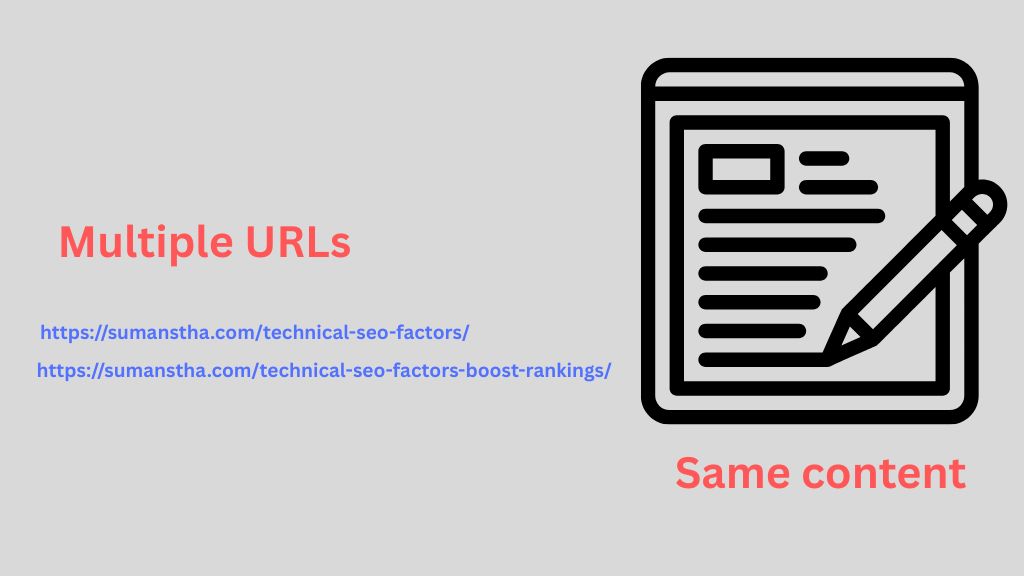
The image explains multiple URLs for the same content
Although the content is the same, these are distinct URLs. Search engines view them as separate pages, which can result in duplicate content issues.
2. URL Parameters:
If my site adds tracking codes or filters in the URL, like:
- https://sumanstha.com/technical-seo-guide/
- https://sumanstha.com/technical-seo-basics/?utm_source=facebook
These URLs lead to the same blog post but are treated as different pages by Google.
3. WWW vs non-WWW and HTTP vs HTTPS:
If my site is accessible as both http://sumanstha.com and https://sumanstha.com, or both www.sumanstha.com and non-sumanstha.com, and there are no redirects in place, this causes duplicate versions of your content.
But I have redirects on my site.
4. Keyword Cannibalization:
This happens when two or more articles target the same topic or keyword. For example:
If both are on similar topics with overlapping keywords, they compete with each other in search results.
5. Content Syndication and Scraped Content:
If your posts are copied by other sites or shared on multiple platforms without canonical tags, Google may not recognize your version as the original.
This is common when syndicating content or publishing guest posts.
6. Category and tag pages displaying full posts:
If your blog’s category or tag pages display the full content of each post, these pages can end up duplicating the blog post content. It’s better to show only excerpts.
7. Printer-friendly versions and mobile URLs:
Sometimes websites create a separate version of a page just for printing or for mobile. For instance, a blog post at https://sumanstha.com/track-seo-performance/ might also exist as https://sumanstha.com/print/track-se0-performance/. If these aren’t handled properly, they become duplicate content.
8. Copied boilerplate content across pages:
If you reuse the same block of text, like a paragraph about your services or contact info, on every blog post, that repeated section may be seen as duplicate content.
Why Duplicate Content Affects SEO
Duplicate content won’t get your site penalized unless it’s spammy, but it does hurt your SEO in other ways:
- Google chooses just one version to show in search results, so your other pages may not appear at all.
- Your link authority gets split across multiple versions instead of boosting one strong page.
- It wastes your crawl budget – Googlebot might spend time crawling duplicate pages instead of discovering original content.
Google’s documentation confirms that it groups similar pages and selects a “canonical” version to rank. But that means your other versions are ignored.
How to Fix Duplicate Content Issues
Use this numbered checklist to solve duplicate content problems on your blog:
- 301 Redirects:
If you have multiple URLs showing the same content, set up a 301 redirect from the duplicates to the main version.
For example, redirect https://sumanstha.com/tag/technical-seo-factors/
to
https://sumanstha.com/blog/technical-seo-factors/.
This helps Google understand which version to keep. - Canonical Tags:
Add a canonical tag to pages that are very similar or identical.
For example, if my blog post has parameters or is published under multiple categories, I can place <link rel=”canonical” href=”https://sumanstha.com/blog/technical-seo-factors/”> in the head section of all versions.
Or, I can also use plugins to redirect the pages instead of coding.
In the canonical section, use the original version of the URL.
This tells search engines that the main URL is the source. - Noindex Tag:
For low-value pages like archives, tag pages, or printer-friendly versions, use a meta noindex tag.
Add <meta name=”robots” content=”noindex”> to the page’s HTML. This stops it from being indexed in search results.
If you use plugins, then you have options. - Rewrite or Merge Content:
If two blog posts cover nearly the same topic (e.g., “Image Optimization” and “How to Optimize an Image?”), Consider merging them into one comprehensive article. Or rewrite one with a unique focus to avoid keyword cannibalization. - Fix URL Parameters:
If you’re using UTM tags or filters in URLs, use canonical tags to point back to the original URL.
You can also set parameter handling rules in Google Search Console under “URL Parameters.” - Set Preferred Domain Version:
Choose either www or non-www, and https over http. Set the preferred domain in Google Search Console and redirect all other versions to your main format (best like https://sumanstha.com). - Unique Keyword Targeting:
Make sure every blog post is targeting a distinct topic and keyword. Avoid writing multiple posts about the same subject unless each has a clearly different purpose or audience. - Regular SEO Audits:
Initially, use free tools like Google Search Console, Screaming Frog, or Sitebulb to check for duplicate content, duplicate title tags, or thin content. These tools help you identify and fix issues early.
Best Practices to Prevent Duplicate Content
Preventing duplicate content is much easier than fixing it later.
Below are clear and simple steps you can follow to keep your blog clean, search-engine friendly, and free from duplicate content issues:
1. Always Write Original Content
Make sure your blog posts are written in your own words. Don’t copy and paste from other websites, even if the information is helpful. Rewrite it in your style and add your ideas. This makes your blog unique and tells search engines that your content is original and valuable.
2. Show Only Summaries or Excerpts on Category and Homepage Feeds
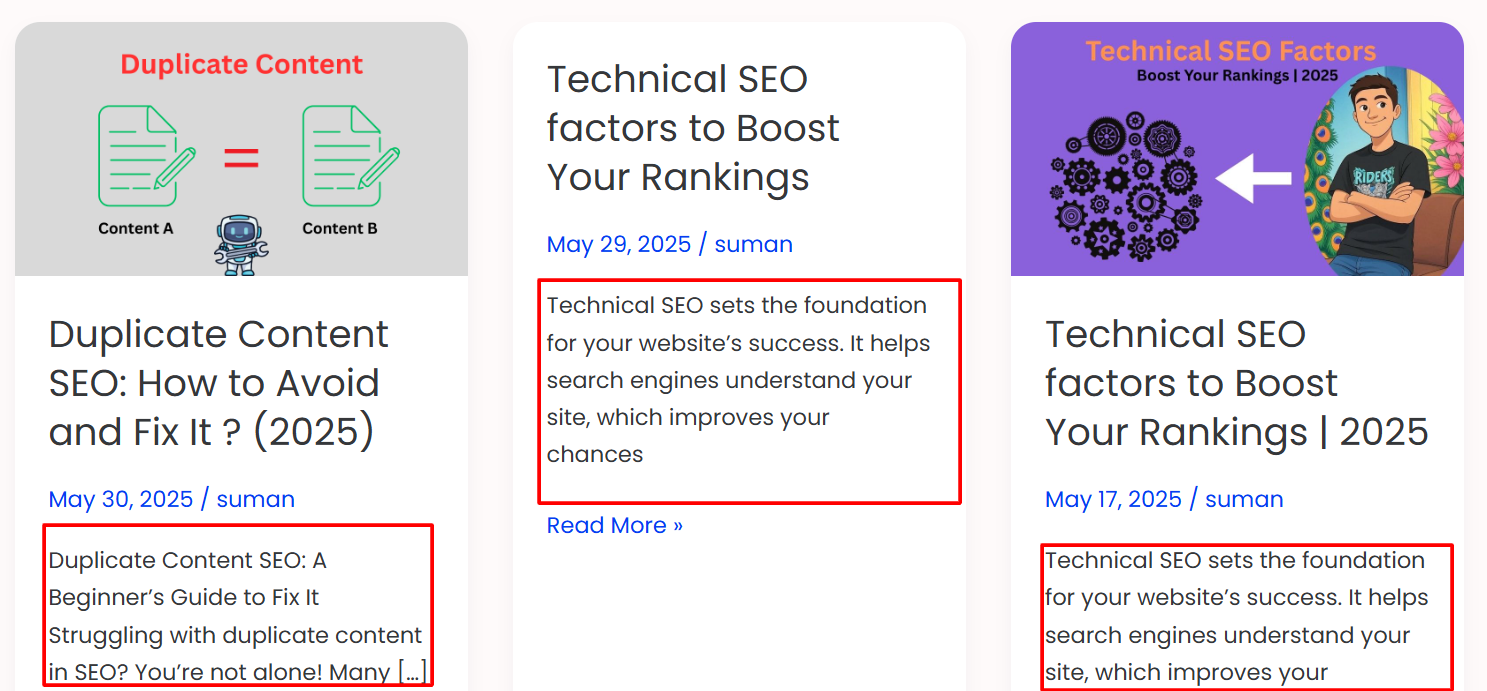
When listing blog posts on your homepage or category pages, don’t show the full article. Instead, show a summary or an excerpt (just the first few lines). This helps avoid showing the same content in multiple places on your website.
For example, on a blog category page like:
https://sumanstha.com/blogs/
Instead of showing the full post, just display the title and a short paragraph.
This keeps your blog more organized and SEO-friendly.
3. Use Canonical Tags When Republishing Content

If you post the same content on other websites (like Medium or guest blogging platforms), add a canonical tag to those pages. This tag tells Google that your original article is the main version and should be ranked higher. That way, Google doesn’t see both versions as duplicates.
4. Stick to One URL Format
Choose one format for your website address and use it everywhere. For example, either:
- https://www.sumanstha.com
or - https://sumanstha.com
Don’t use both. Also, always use HTTPS (not HTTP). Set up proper redirects so all other versions automatically point to your main URL. This helps search engines understand that all your pages belong to the same website.
5. Avoid Publishing Very Similar Posts
Before you write a new blog post, check if you already have something similar on the same topic. If you do, don’t write a new post on the same subject. Instead:
- Update and improve the old post
or - Write about the topic from a different angle
This prevents keyword cannibalization, where two posts compete against each other for the same keyword in Google search results
By following these simple practices, you reduce the chance of confusing search engines and make your site stronger in search results.
Overall Conclusion
Duplicate content SEO issues usually happen without bad intentions. But if left unfixed, they can harm your search visibility. Use redirects, canonical tags, noindex tags, and careful content planning to fix and prevent duplicates. Regular SEO audits also help keep your blog clean and optimized.
By understanding how duplicate content affects SEO and using the tips above, Beginners can avoid confusion for search engines and improve their rankings over time.
FAQs
Here are the frequently asked questions by users;
1. What is the meaning of duplicate content?
Duplicate content means the same or very similar text appears on more than one webpage or URL. This can confuse search engines and affect your site’s rankings in search results.
2. Can duplicate content hurt my Google rankings?
Yes, it can. While Google doesn’t penalize websites for unintentional duplicate content, it may choose not to rank your duplicate pages. This can reduce your visibility and traffic, especially if important pages are affected.
3. How can I check for duplicate content on my blog?
You can use tools like Google Search Console, Siteliner, Semrush, or Screaming Frog to scan your website. These tools help you find duplicate pages, repeated title tags, or thin content that may affect your SEO.
4. Is it okay to copy content from other websites if I give credit?
No, giving credit does not solve the duplicate content problem. Even if you mention the source, search engines still see the content as duplicate. It’s always better to write in your own words and share your unique ideas.
5. What is a canonical tag, and how does it help?
A canonical tag is a piece of HTML code that tells search engines which version of a page is the original or preferred one. If you have similar content on different URLs, adding a canonical tag helps search engines avoid treating them as duplicates.