Skip to content
What is SEO?
SEO stands for Search Engine Optimization.
Search engine optimization is the process of improving the quality and quantity of website traffic to a website from search engines.
The main goal of SEO is to increase visibility and (FREE) organic traffic.
When users search for a particular product, service, or information related to our business on search engines, it helps our website appear at the top.
What are the Core Elements of an Effective SEO Strategy?
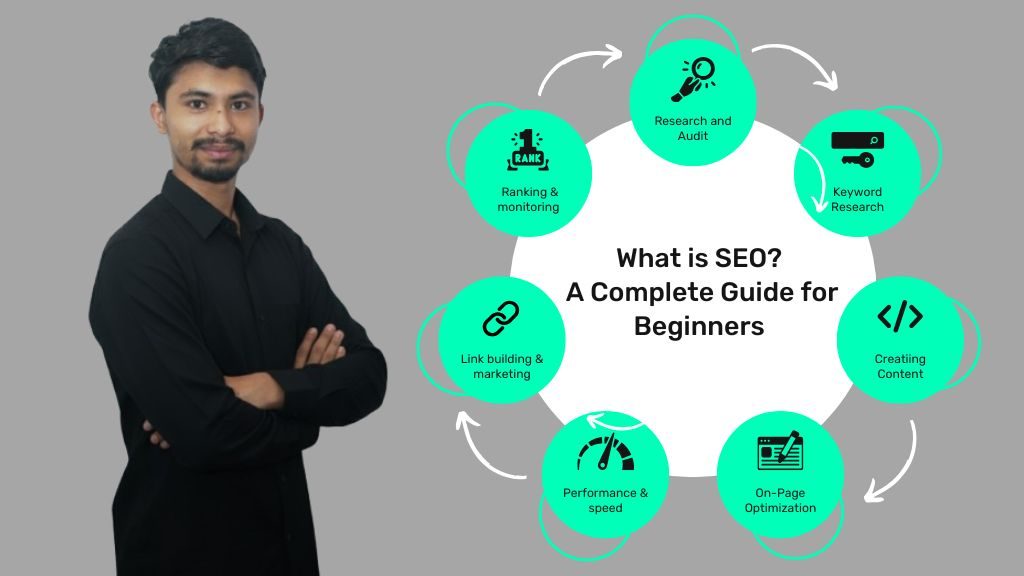
The core elements of an effective SEO strategy, such as;
-
SEO Audit → checking the health of your website to find and fix issues.
-
Keyword Research → finding what people are searching for.
-
On-Page SEO → optimizing titles, meta descriptions, content, images, and internal links.
-
Off-Page SEO → building backlinks and authority from other websites.
-
Technical SEO → making your site fast, mobile-friendly, and easy for search engines to crawl.
-
Content Strategy → creating useful, high-quality content that answers users’ questions.
-
Local SEO → optimizing for “near me” searches, Google Business Profile, maps ranking, and local citations.
In the beginner’s guide to SEO,
You’ll learn:
-
Why is SEO important
-
How search engines like Google work (crawl, index, and rank)
-
The main types of SEO are On-page, Off-page, and Technical SEO
-
Best practices to optimize your site for beginners
-
The most common mistakes to avoid when starting SEO
Why is SEO Important?
SEO is important because it helps your website get found on Google and other search engines. When people search for products, services, or answers related to your business, you want your website to appear at the top – otherwise, they’ll find your competitors instead.
Here are the main reasons why SEO is essential:
-
More Visibility & Traffic
Most users click on the first few results in Google. If your site ranks higher, you get more visitors without paying for ads. -
Builds Trust & Credibility
Websites that appear on page one are seen as more reliable and professional. Strong SEO helps you build that trust. -
Better User Experience
Good SEO means faster load times, mobile-friendly design, and easy navigation — all of which make your visitors happy. -
Cost-Effective Marketing
Unlike ads that stop when you stop paying, SEO gives you long-term results and continuous free traffic once you rank. -
Competitive Advantage
If your competitors are investing in SEO and you’re not, they’ll capture the audience that could have been yours.
How Do SEO and Search Engines Work?
SEO works by helping search engines (like Google) understand your website and show it to people who are searching for related topics.
When someone types a query into Google, the search engine quickly scans billions of web pages to find the most relevant and useful results.
SEO makes sure your website is one of those results.
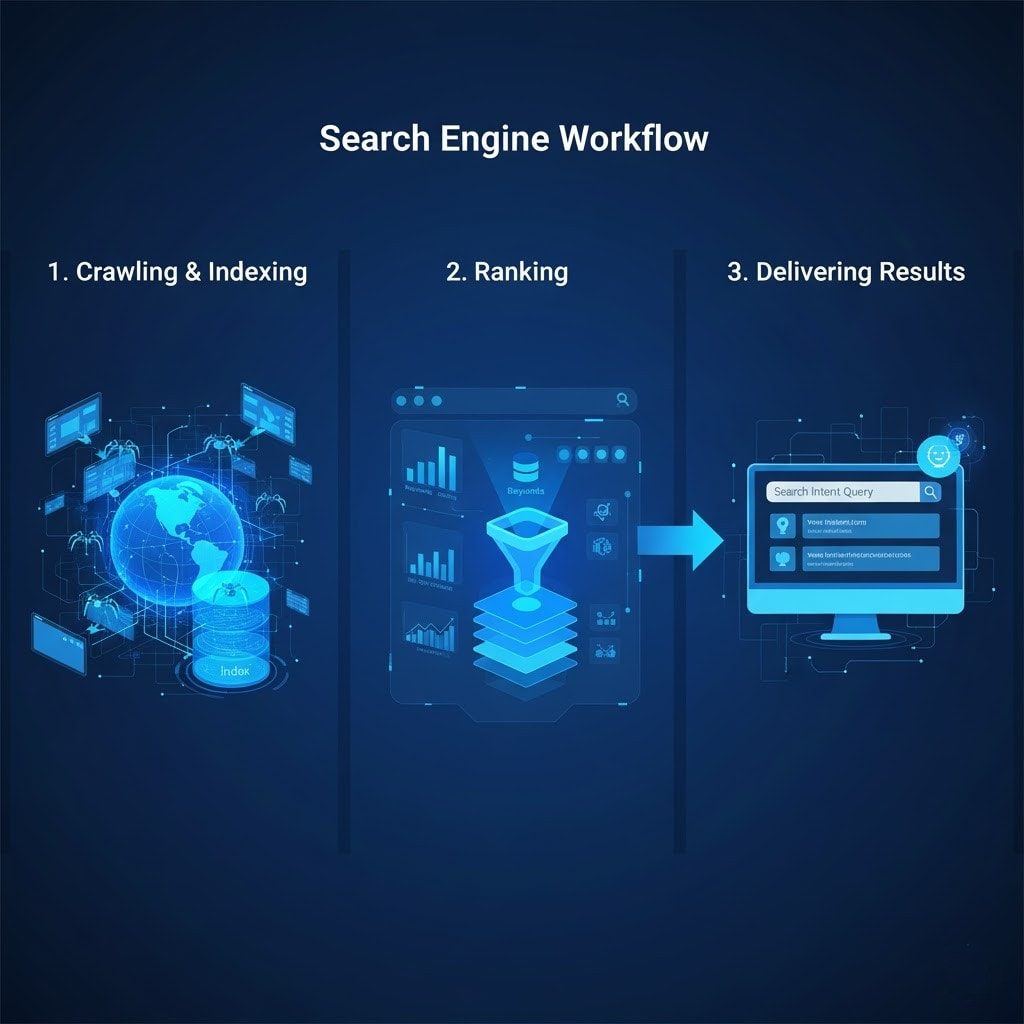
Here’s the working process of SEO and Search Engines:
-
Crawling and Indexing
Search engines use bots (called crawlers or spiders) to discover web pages. They follow links, read your content, and then store the information in Google’s index (a giant library of websites). If your site isn’t crawled or indexed, it won’t show up in search results. -
Ranking
Once your page is indexed, Google decides where to place it in the search results. It uses ranking factors such as keywords, backlinks, site speed, and mobile-friendliness to assess your page’s quality and relevance. The better optimised your site is, the higher it can rank. -
Delivering Results
Finally, Google shows users the most relevant pages in order of usefulness. Your goal with SEO is to ensure your content aligns with search intent, so when people click, they find exactly what they’re looking for.
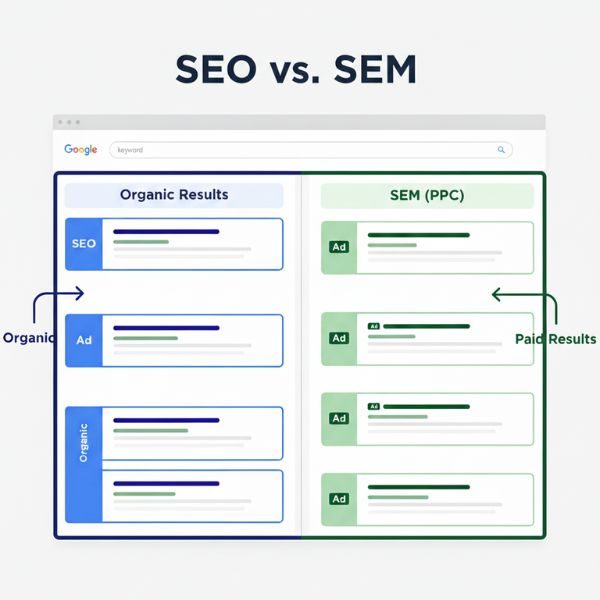
Organic vs. Paid Results
When you search for something on Google, you’ll mostly see two types of results – organic and paid.
Organic results are the listings that appear naturally in Google search results.
You don’t pay Google to show up here; instead, your position depends on how well your website is optimized through SEO (Search Engine Optimization).
Google ranks organic results based on hundreds of factors, including content quality, keyword relevance, backlinks, page speed, and user experience.
Key Features of Organic Results:
-
Appear below paid ads in search results.
-
Free traffic (you don’t pay for clicks).
-
Results take time but last longer.
-
Builds trust and authority with users.
Paid results are advertisements that appear at the top or bottom of the search results page.
Paid ads bring instant visibility, but traffic stops when you stop paying.
They’re great for short-term campaigns or promoting specific products or offers.
Key Features of Paid Results:
-
Appear at the top or bottom with a small “Ad” label.
-
Instant visibility and quick traffic.
-
You pay for each click (PPC).
-
Useful for short-term or high-competition keywords.
SEO vs. SEM (PPC)
SEO (Search Engine Optimization) and SEM (Search Engine Marketing) increase visibility on search engines, but they work differently.
-
SEO focuses on getting free (organic) traffic by improving a website’s content, structure, and authority. It takes time but provides long-term results.
-
SEM uses paid ads (like Google Ads) to get instant traffic. Businesses pay when someone clicks their ad, known as PPC (Pay-Per-Click).
SEO vs. AEO
AEO (Answer Engine Optimization) is an evolution of SEO designed for the modern search landscape.
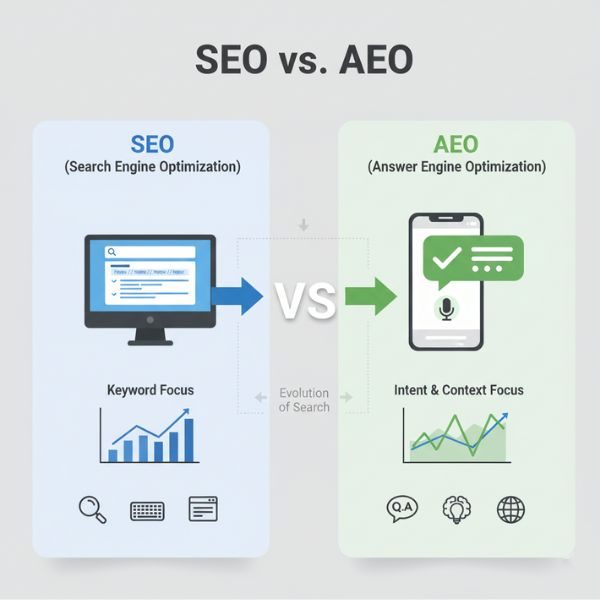
While SEO focuses on ranking in traditional search results, AEO focuses on getting content featured as direct answers to user questions, especially in AI-driven and voice searches (like Google Assistant or ChatGPT-style results).
- SEO helps a site appear in search results.
- AEO helps content become the answer itself.
How many types of SEO?
There are mainly three types of SEO.
-
On-page SEO = Content + keywords
-
Off-page SEO = Backlinks + authority
-
Technical SEO = Performance + structure
1. On-Page SEO
On-page SEO, also called on-site SEO, is the process of optimizing the elements on your own website.
It gives a high level of control over your content and HTML tags.
Key on-page factors include:
Page Titles and Meta Description
The page title (Title Tags) is the blue clickable text you see in Google search results.
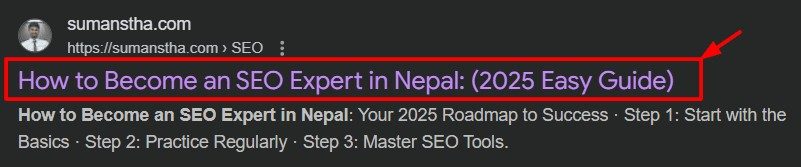
A good title should clearly explain what the page is about.
I include my main keyword in the title and increase CTR (Click Through Rate).
For example:
-
Weak title: Optimize Meta Titles
-
Strong title: How to Write SEO Friendly Titles (+ Easy Formulas)
The second one works better because it’s clear, keyword-rich, and tells the reader exactly what to expect.
Google recommends keeping titles under 60 characters to prevent them from being cut off in search results.
The meta description is the brief text displayed below your title in search results.

It doesn’t directly affect rankings.
Then why should you create a description?
Because it has a big impact on click-through rate (CTR).
A well-written description can convince people to choose your website over others.
Google shows around 150–160 characters for meta descriptions, so keep it concise but informative.
Headings Structure (H1, H2, H3…)
Headings are the structure of your content.
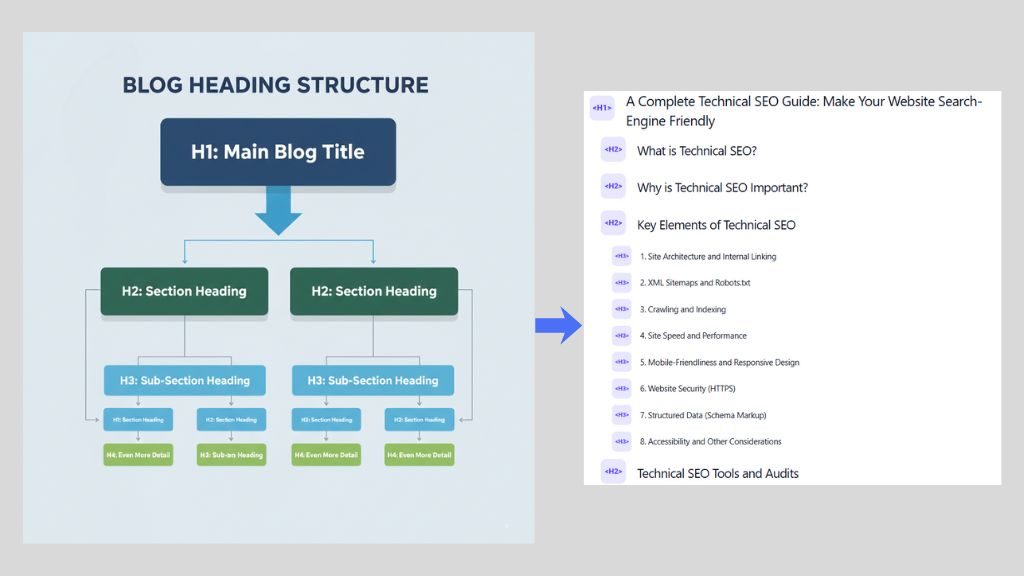
They make your page easier to read for both users and search engines.
The structure of headings looks like this:
I always use headings, so users can quickly scan the entire content.
Keywords and Content Optimization
Keywords are the words people type into Google to find information.
Using the right keywords helps search engines understand content.
I always start with keyword research to find what my audience is searching for.
I use tools like Google Keyword Planner, Ubersuggest, or Ahrefs to discover high-traffic, low-competition keywords.
Once I find my target keyword, I use it naturally in my content – especially in:
-
The title
-
The first paragraph
-
Headings (H2, H3)
-
Meta description
-
Image alt text
-
URL
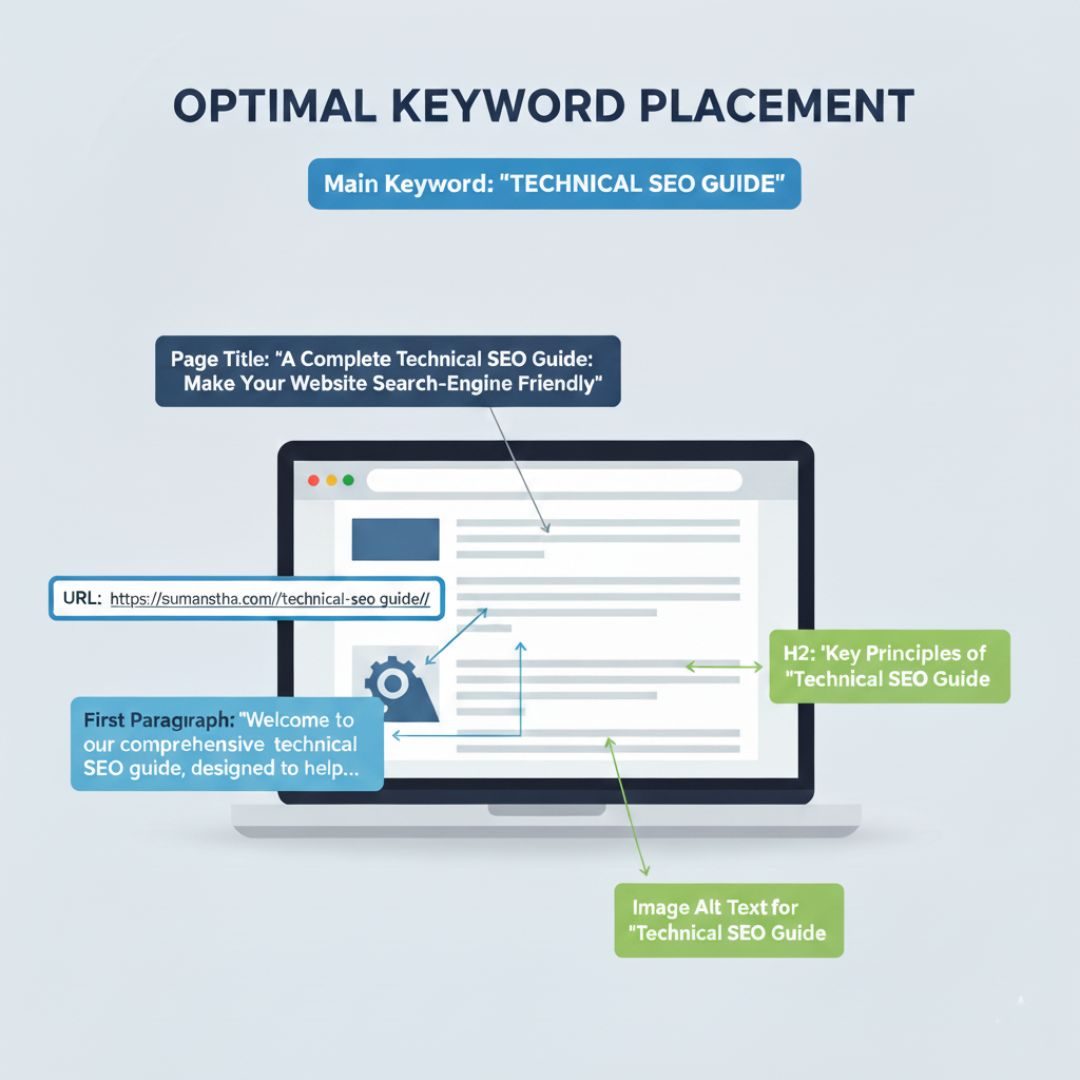
But avoid keyword stuffing (using the keyword my times).
Instead, include related (LSI) keywords and synonyms to make your writing sound natural.
Focus on quality and clarity.
Write content that answers questions, solves problems, and keeps readers engaged.
The better your content satisfies users, the more Google will trust and rank your website.
Internal Linking
Internal links connect your other pages.
For example, I am writing about “SEO for beginners,” and I can link to another page on “A Complete Internal Linking Guide for SEO.”
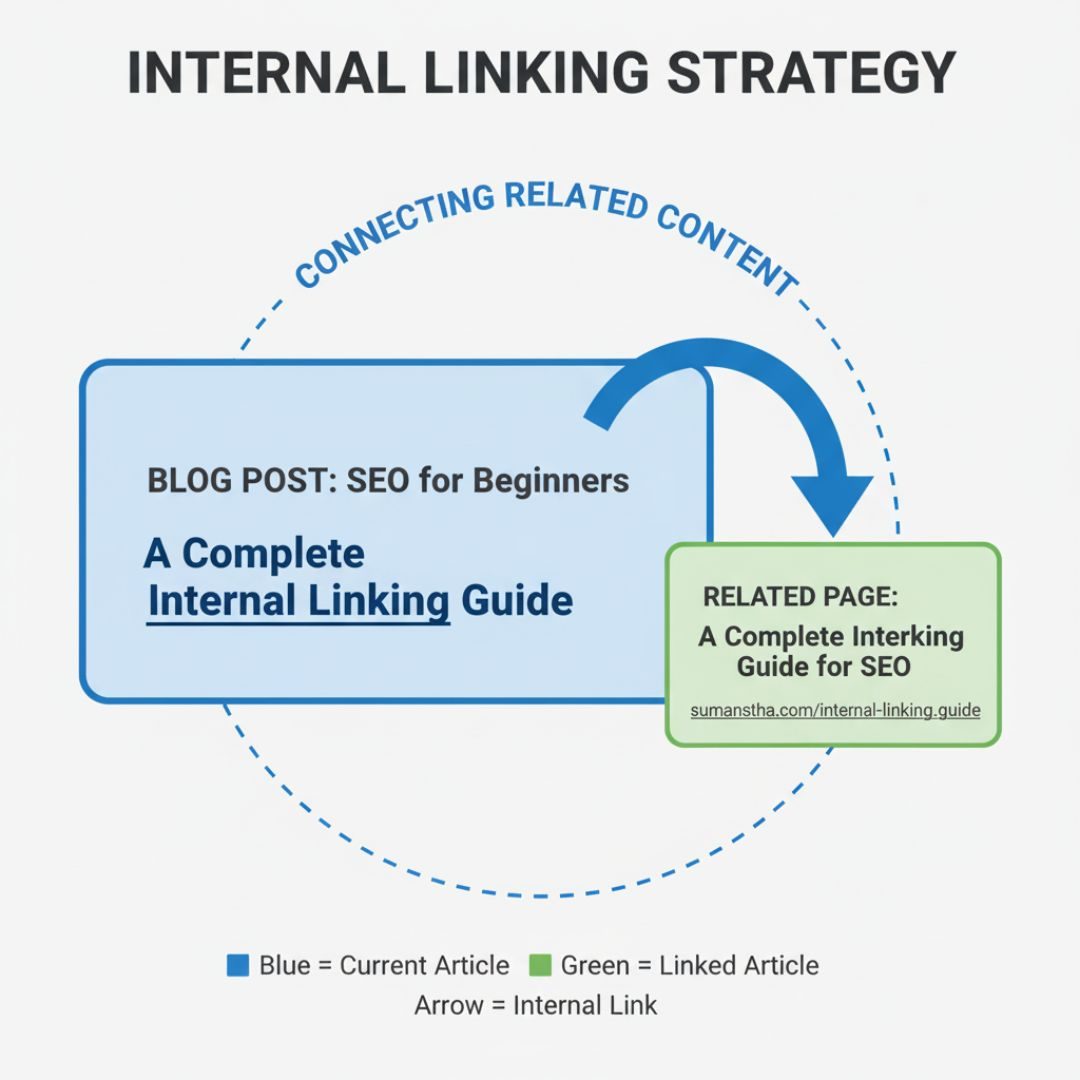
This helps readers discover more content and allows Google to crawl my site more efficiently.
Best Practices for Internal Linking
-
Use descriptive anchor text (the clickable words). Example: instead of writing “click here”, use “learn more about Technical SEO.”
-
Link to relevant pages that add value to the reader.
-
Make sure important pages (like service pages, product pages, or cornerstone articles) get more internal links.
-
Avoid overloading — too many links in one paragraph can look spammy.
5. Images & Alt Text
Images make your content more attractive and easier to understand.
Google is now smart enough to “see” what’s inside the images using AI and visual recognition.
However, search engines still rely on alt text and surrounding content to fully understand the purpose of your image and how it relates to your page.
It also helps users to understand the image properly.
For more in-depth practical tips and tactics, check out our full image optimization guide.
URL Structure
URL is the link to a page.
A clean, simple, and descriptive URL helps both users and search engines understand what your page is about.
Clear and simple URLs also make your site easier to navigate and share.
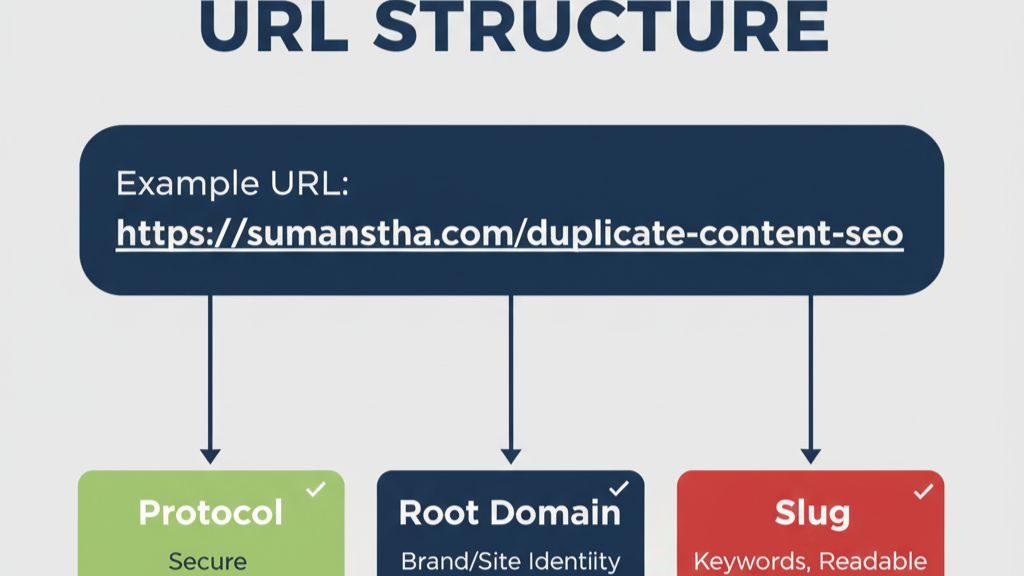
Below is a detailed process of the good URL.
- Keep URLs Short and Simple
- Include Your Main Keyword
- Use Hyphens, Not Underscores
- Avoid Unnecessary Words and Extra Folders: Words like “and,” “the,” or “a” can make URLs longer without adding value.
2. Off-Page SEO
Off-page SEO refers to the activities we do outside our website to enhance authority, trust, and visibility in search engines.
While on-page SEO focuses on what’s on your site (like titles, content, and structure), off-page SEO is about how others perceive and reference your site across the web.
(In simple terms, if my website is like me, off-page SEO is my reputation – how others talk about me online is off-site SEO)
The more trusted and well-known my site becomes, the higher it can rank on Google.
Here are the main elements of Off-site SEO:
Backlinks (The Core of Off-Site Optimization)
When other websites link to my site, that is called Backlinks.
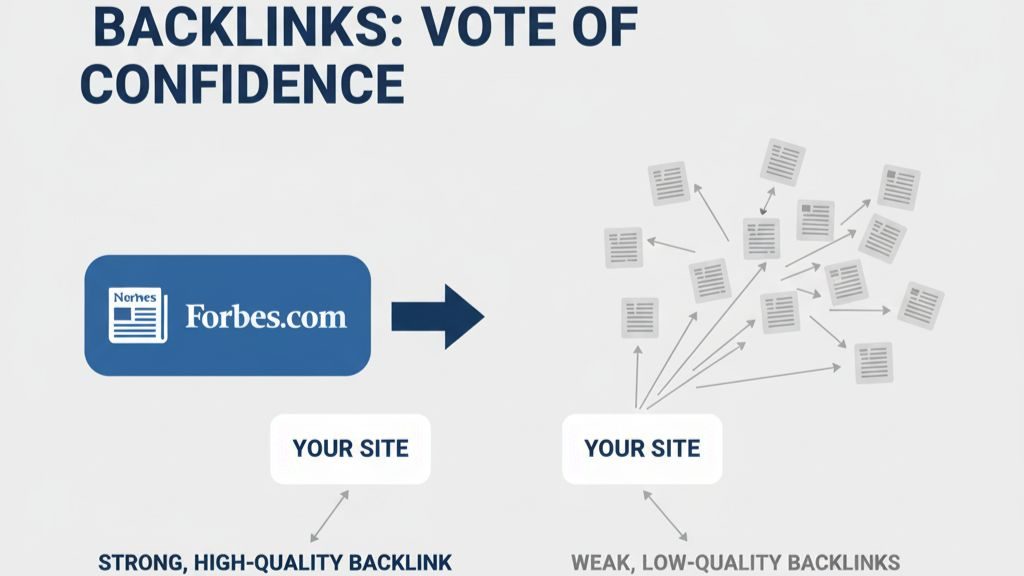
Think of it as a vote of confidence.
If an authorized website links to your content, search engines assume your site is also valuable and trustworthy. But not all backlinks are equal.
(Quality matters more than quantity.)
Example:
-
A link from Forbes or Wikipedia is much stronger than 50 links from low-quality blogs.
Ways to build backlinks:
-
Guest Posting: Write articles for other websites and include a link back to yours.
-
Outreach: Contact website owners and ask them to link to your useful content.
-
Shareable Content: Create infographics, guides, or videos that people naturally want to share.
-
Broken Link Building: Find broken links on other sites and suggest your page as a replacement.
Brand Mentions & Authority Building
Even being brand-mentioned on reputable sites or social media helps Google recognize your brand.
This builds E-E-A-T (Experience, Expertise, Authoritativeness, and Trustworthiness), which are important ranking factors for SEO.
Social Media Signals
While social likes and shares don’t directly impact rankings, they increase visibility and help your content reach more people who might link to it.
For example, a viral tweet about your article can bring attention from journalists or bloggers who later add a backlink.
Local Citations (For Local SEO)
Local businesses can list their business on local directories (like Google Business Profile, Yelp, and Yellow Pages).
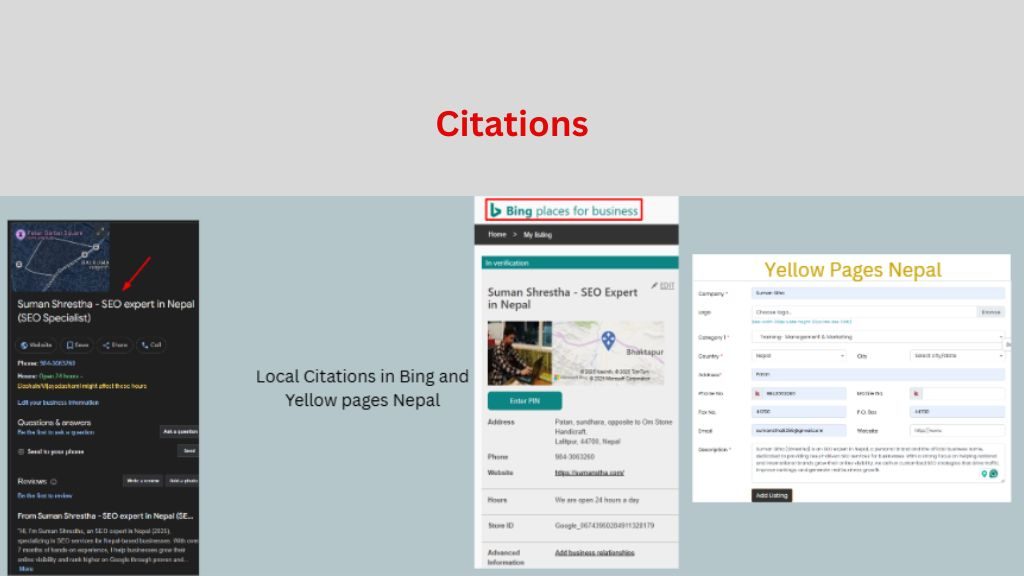
Make sure your NAP (Name, Address, Phone number) is consistent everywhere.
It helps search engines trust your business information.
Reviews & Online Reputation
Customer reviews on platforms like Google Maps, Facebook, or Yelp influence local SEO and brand reputation.
Encourage happy customers to leave honest reviews.
It signals credibility to search engines and builds trust with potential clients.
3. Technical SEO
Technical SEO refers to optimizing the technical aspects of a website to ensure Google can easily find, crawl, and display your pages in search results.
It’s all about making your site fast, secure, and easy to use for users and search engines.
Here are the main things that you have to consider:
Measure and Optimize for Website Speed
People don’t like slow websites.
A fast site keeps users happy and helps a website rank higher in search engine results.
You can speed up your site by following these steps:
1. Compress large-sized images into a suitable format
Large images slow down your site.
Compressing them reduces file size without losing quality.
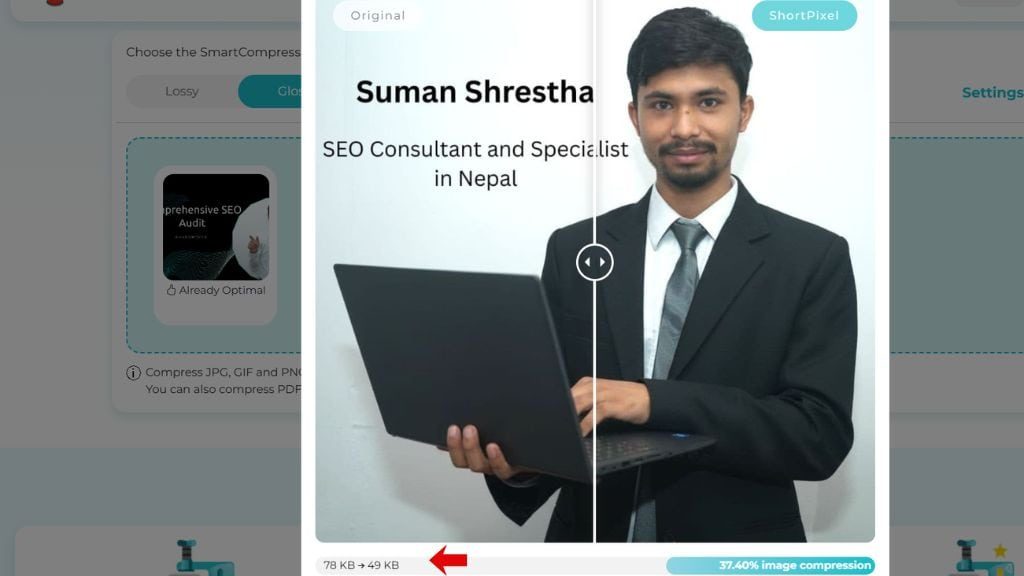
I use free tools Short Pixel (TinyPNG and Compressor.io) to reduce image size before uploading.
Don’t use too many plugins.
Save images in modern formats (WebP or AVIF), which load faster than JPEG or PNG.
Resize images to the exact dimensions needed on your site.
2. Using browser caching
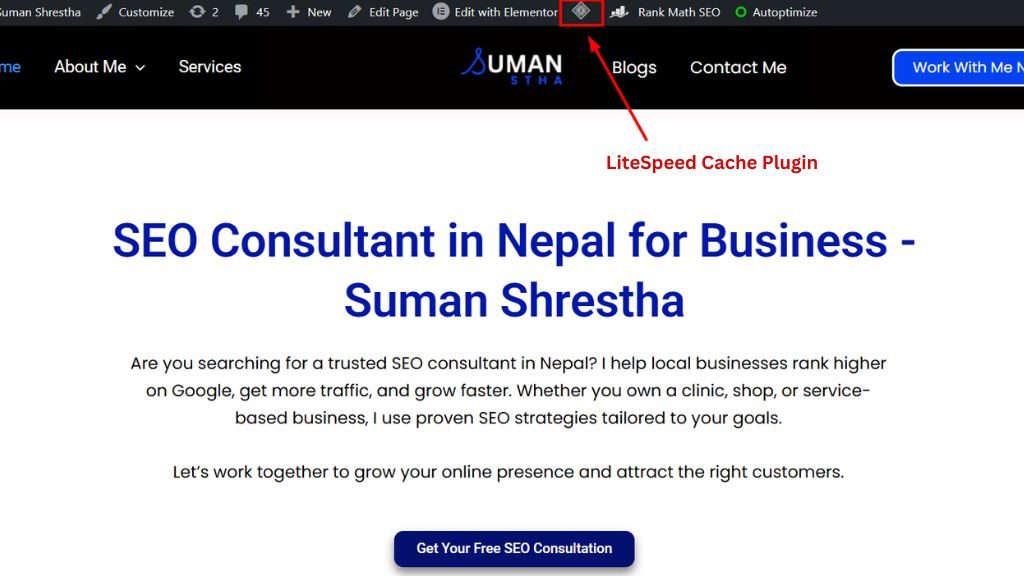
Browser caching helps browsers save some files (like your logo, CSS, or JavaScript) so returning visitors don’t have to reload them every time.
To do this:
- Add caching rules in your .htaccess file (for Apache servers).
- I, as a WordPress user, have installed the Lightspeed caching plugin to manage this automatically.
-
Use Google PageSpeed Insights to check if browser caching is working.
3. Choose a reliable web hosting
Hosting plays a big role in your site’s speed and uptime.
So that,
-
Pick a hosting provider with fast servers and good uptime (99.9% or higher).
-
Prefer SSD-based hosting (faster than HDD).
-
If your audience is global, use a Content Delivery Network (CDN) like Cloudflare or BunnyCDN to deliver content faster worldwide.
-
Avoid cheap shared hosting if you expect high traffic. Go for Managed WordPress Hosting or VPS for better performance.
But small sites that have low traffic can use shared hosting.
Optimize For Mobile
Most people use phones to browse the internet.
Therefore, Google now uses mobile-first indexing.
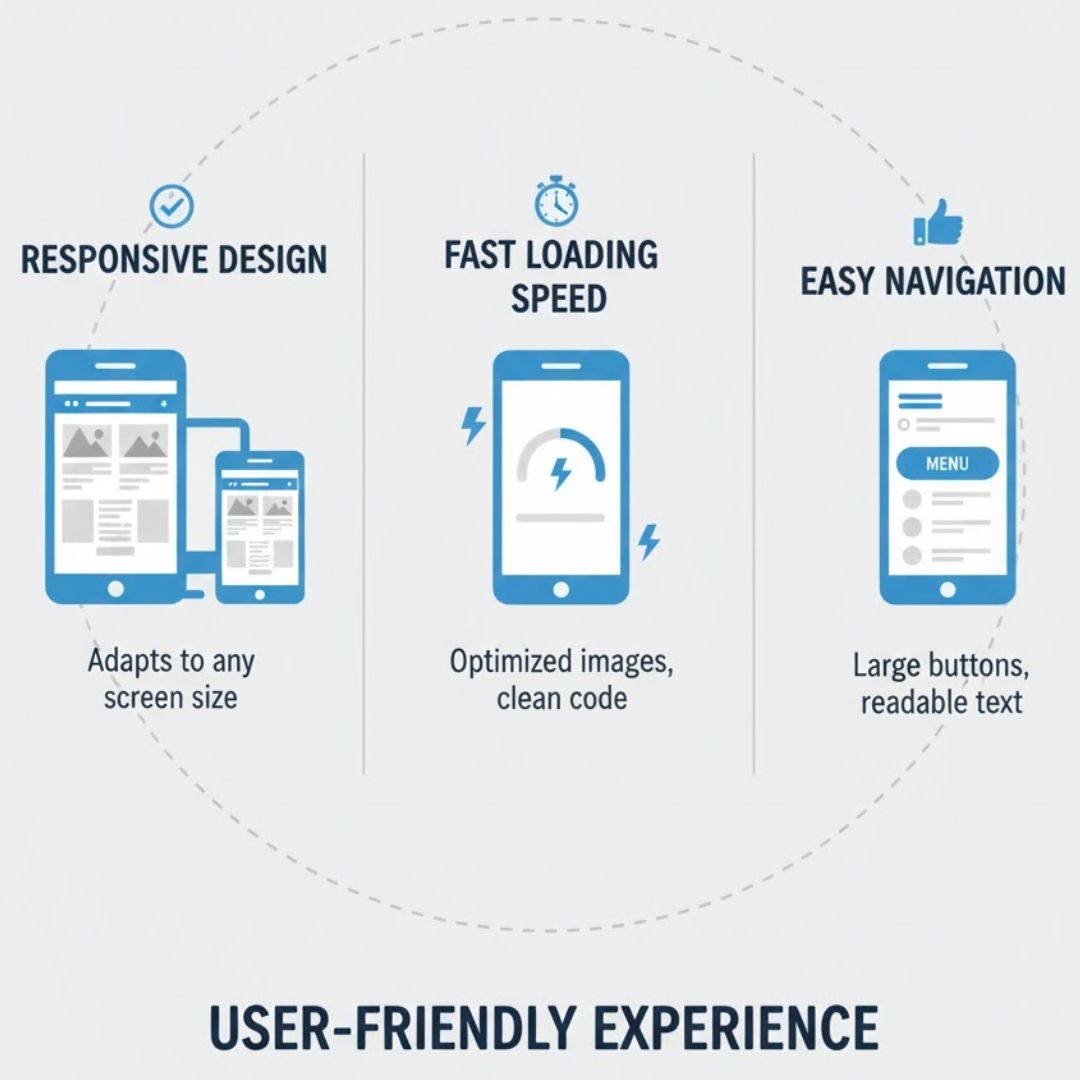
If your site doesn’t work well on mobile, it may struggle in search results.
A mobile-friendly website gives users a smooth experience on any device.
It loads quickly, fits small screens, and is easy to navigate with a thumb or finger.
When a site works well on mobile, visitors stay longer, read more, and take action. It boosts your SEO and conversions.
Check your site’s mobile performance using Google Search Console (GSC) under the Core Web Vitals report.
These metrics track page load speed, layout stability, and how quickly users can interact with your site.
Here are simple ways I use to optimize my site for mobile:
-
Use a responsive design – your layout adjusts automatically to any screen size.
-
Avoid intrusive pop-ups and large ads – they block content and frustrate users.
-
Use clear, readable fonts – large enough so users don’t need to zoom.
-
Make buttons and menus touch-friendly – users can tap easily.
-
Test your site regularly – use Google’s Mobile-Friendly Test to fix issues.
Create a Useful Site Architecture
A clear site architecture organizes your content.
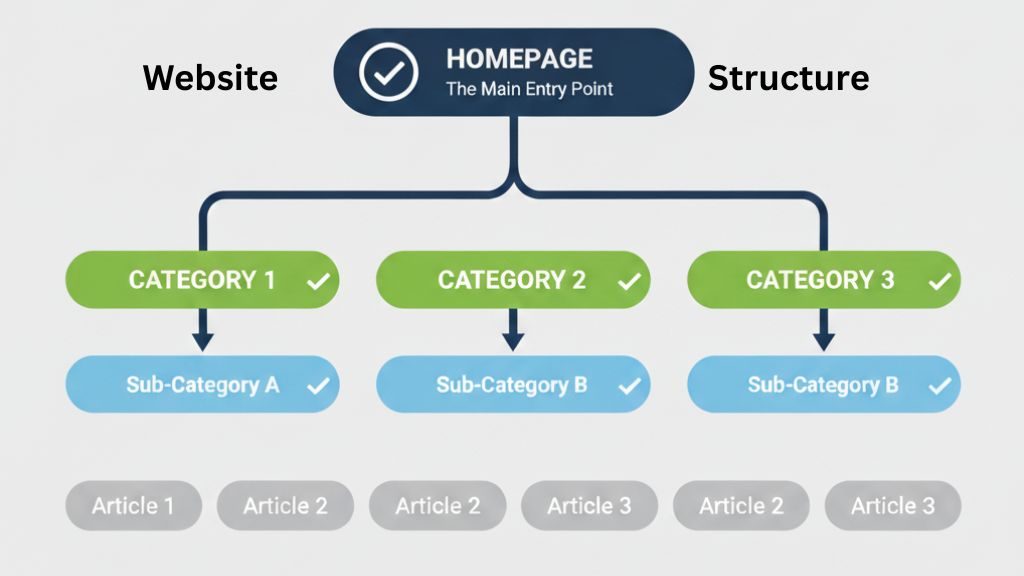
It helps visitors to find what they need and search engines to understand your site.
When your site is well-structured, users spend more time browsing, and your pages rank better in search results.
A good site architecture:
-
Groups related content together – similar topics should be in the same section or category.
-
Uses a logical hierarchy – main categories at the top, subcategories, and pages underneath.
-
Supports easy navigation – visitors should reach any page in three clicks or less.
-
Uses clear, descriptive URLs – they tell both users and search engines what the page is about.
-
Links internally – connecting related pages helps users explore more content and helps search engines understand relationships.
You can check your site’s structure by:
-
Reviewing your navigation menus – are they simple and logical?
-
Using tools like Google Search Console it can show indexing issues and site hierarchy.
-
Creating a sitemap – submit it to search engines to help them crawl your site efficiently.
Crawlability & Indexing:
For your website to appear on search engines, it must first be crawled and indexed.
These two steps are the foundation of SEO.
Let’s understand it clearly!
Search engines and LLM bots move from page to page by following links, just like a human clicking through your site.
If your website has broken links, restricted pages, or poor navigation, it becomes hard for search engines to crawl it properly.
It means some pages might never be discovered.
So, to improve crawlability:
-
Use internal links to connect related pages, so bots and users can easily find new or important content.
-
Create and submit a sitemap to Google Search Console. It acts as a roadmap of your website.
-
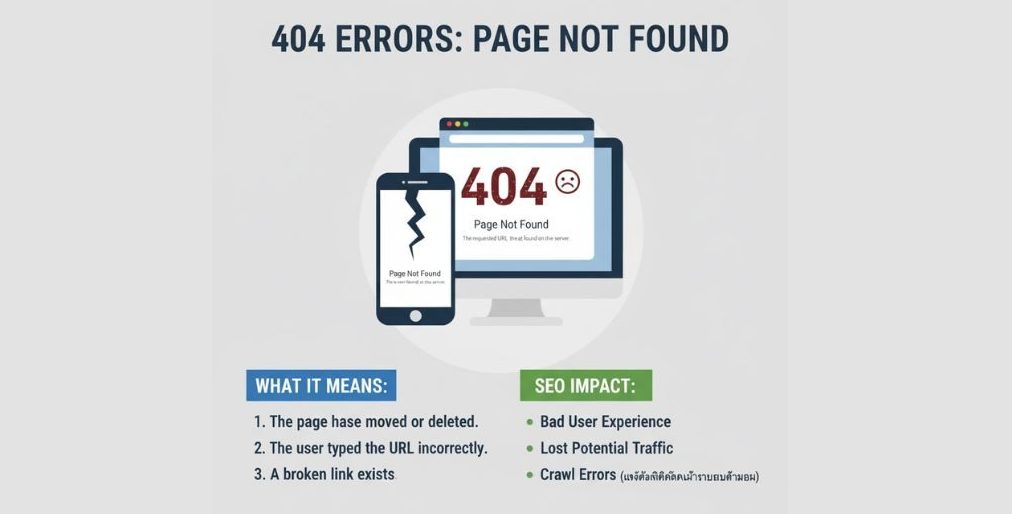
Avoid broken links (404 errors) and fix them regularly.
-
Check your robots.txt file — make sure it doesn’t block important pages you want Google to crawl.
Once your pages are crawled, Google decides to index them.
It means storing them in its database and showing them in search results.
If a page isn’t indexed, it won’t appear on Google, no matter how good your content is.
To ensure proper indexing:
-
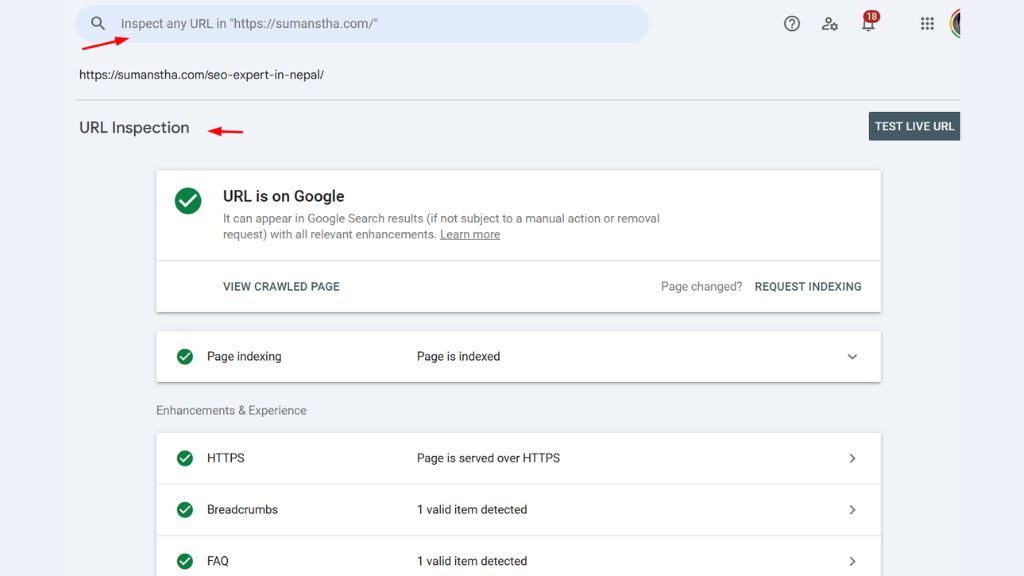
Use the “Inspect URL” tool in Google Search Console to check if your page is indexed.
-
Avoid duplicate content, as Google may skip indexing pages with similar content.
-
Ensure each page has unique titles, meta descriptions, and valuable content.
-
Don’t use “noindex” tags unless you want to intentionally hide a page from search results.
Set up Website Security (HTTPS):
HTTPS (Hypertext Transfer Protocol) secures your website and users’ data, such as personal data and other sensitive information.
Google also considers HTTPS a ranking factor, so having a secure site can slightly improve your SEO performance.
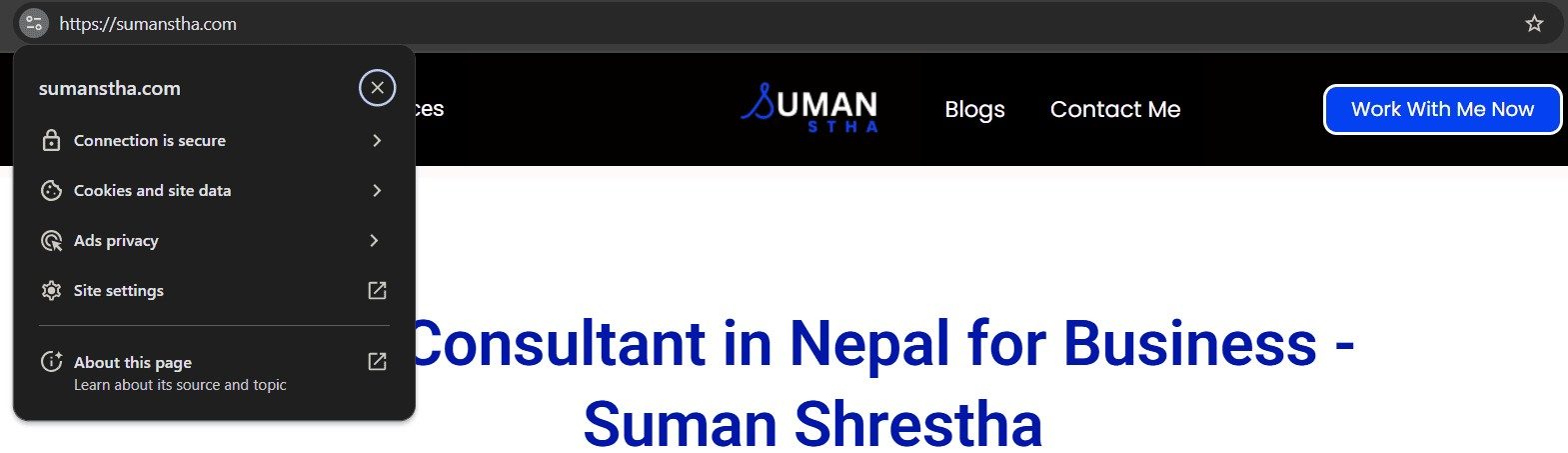
You can set up your HTTPS following the steps below:
-
Buy an SSL Certificate: You can get one from your hosting provider (many offer it for free). Or purchase from SSL providers like Comodo, GoDaddy, or DigiCert for advanced security.
-
Install the SSL Certificate on Your Server: Most hosting platforms (like Bluehost, Hostinger, or SiteGround) have one-click SSL installation. If not, contact your host’s support team to help with the setup.
-
Redirect All HTTP URLs to HTTPS: Set up 301 redirects so every HTTP page automatically goes to its HTTPS version. This ensures visitors and search engines only access your secure pages.
-
Update Internal Links and Sitemaps: Replace all old “http://” links with “https://”. Resubmit your updated sitemap to Google Search Console.
-
Test Your HTTPS Setup
-
Visit the SSL Checker tools to confirm everything is secure.
-
Ensure no “mixed content” issues (like insecure images or scripts on secure pages).
-
XML Sitemap & Robots.txt:
An XML Sitemap is a roadmap for your website.
It lists all the important pages you want search engines to find and index.
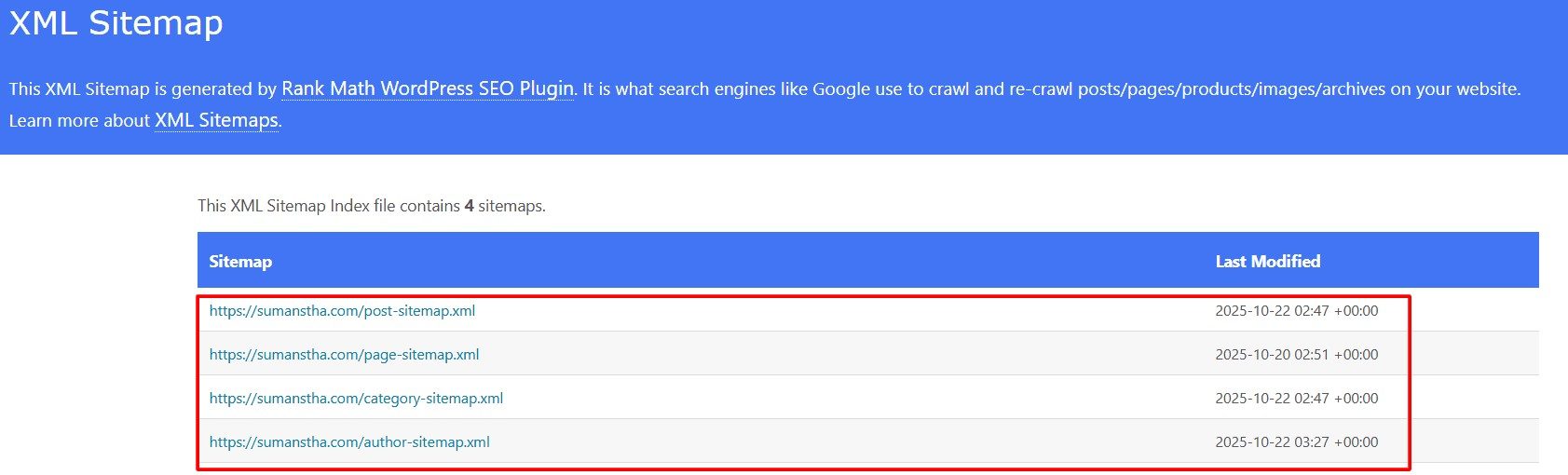
If the website is large or has pages that aren’t easily found through links, the sitemap helps it quickly locate key pages when Google crawls a site.
To create and submit an XML sitemap;
-
Use SEO plugins (Yoast SEO, Rank Math), or online tools like XML-sitemaps.com.
-
Once created, submit your sitemap in Google Search Console under:
Indexing → Sitemaps → Add a new sitemap.
The robots.txt file tells search engine crawlers which pages or sections they should or shouldn’t visit.
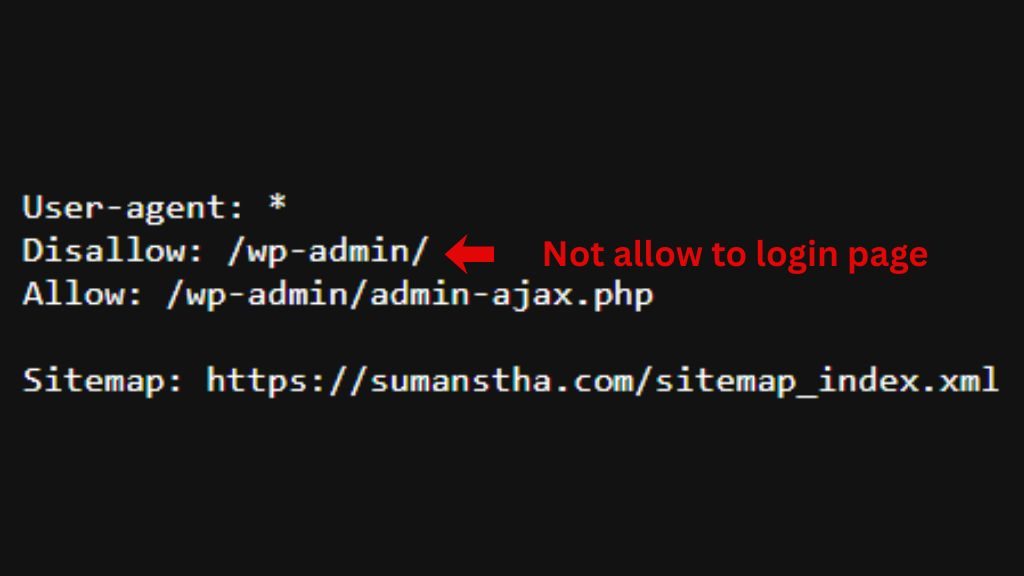
It acts like a set of “rules” for bots.
For example, you might want Google to skip private pages like admin areas, login pages, or duplicate content sections.
How to edit it:
-
Place a plain text file named robots.txt in your website’s root directory.
-
Add rules like these:
This means:
-
All bots (
User-agent: *) -
Should not crawl
/wp-admin/ -
But can access one specific file
-
And here’s where the sitemap is located
In short:
-
The XML Sitemap helps search engines find and index your important pages.
-
The robots.txt file helps them avoid pages you don’t want crawled.
When both are set up properly, your website becomes easier for Google to understand, crawl, and rank efficiently.
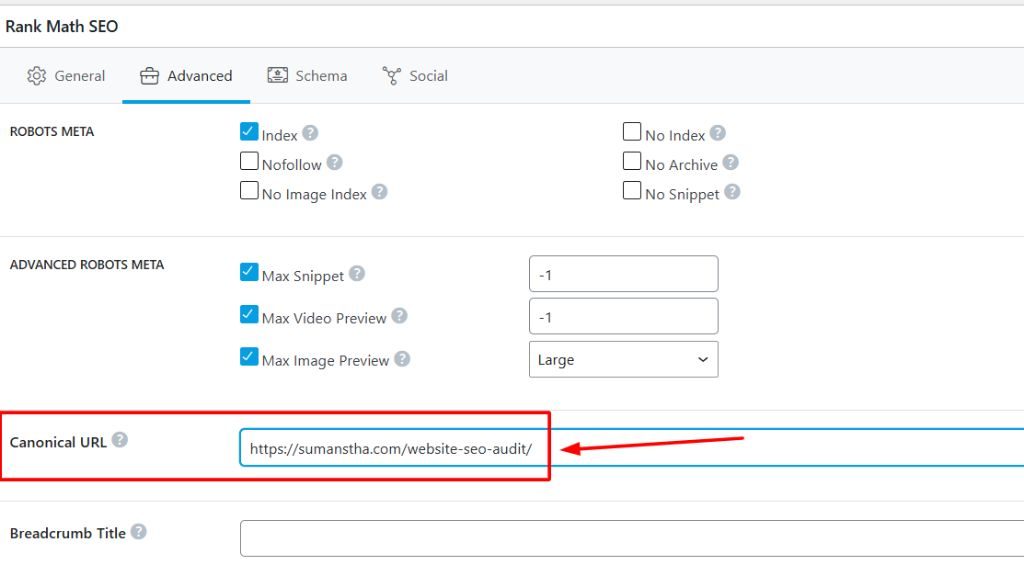
Fixing Errors:
SEO Tools and Analytics
SEO tools and analytics help you measure your website’s performance and find ways to improve it.
They save time, show what’s working, and help you make smart decisions based on real data – not just guesses.
Here’s how they help and what to use:
-
Keyword Research Tools: Tools like Google Keyword Planner, Ahrefs, or Ubersuggest help you find the best keywords your audience is searching for. They show how often people search for a keyword and how hard it is to rank for it.
-
Website Performance Tools: Tools such as Google PageSpeed Insights or GTmetrix check how fast your website loads and give suggestions to make it faster.
-
Analytics Tools: Google Analytics is one of the most powerful tools for tracking website traffic. It tells you how many people visit your site, where they come from, how long they stay, and which pages they like most.
-
SEO Audit Tools: Tools like Screaming Frog, Ahrefs Site Audit, or Semrush help you find issues such as broken links, missing meta tags, or slow pages so you can fix them and improve your site’s health.
-
Rank Tracking Tools: These tools, like SERPWatcher or Ubersuggest, show your keyword positions on Google and how they change over time.
-
Backlink Tools: Tools like Ahrefs or Moz Link Explorer help you see who’s linking to your website.
Common SEO mistakes that you have to avoid
Even small SEO mistakes can stop your website from ranking well on Google.
Many beginners focus only on keywords and forget other important factors.
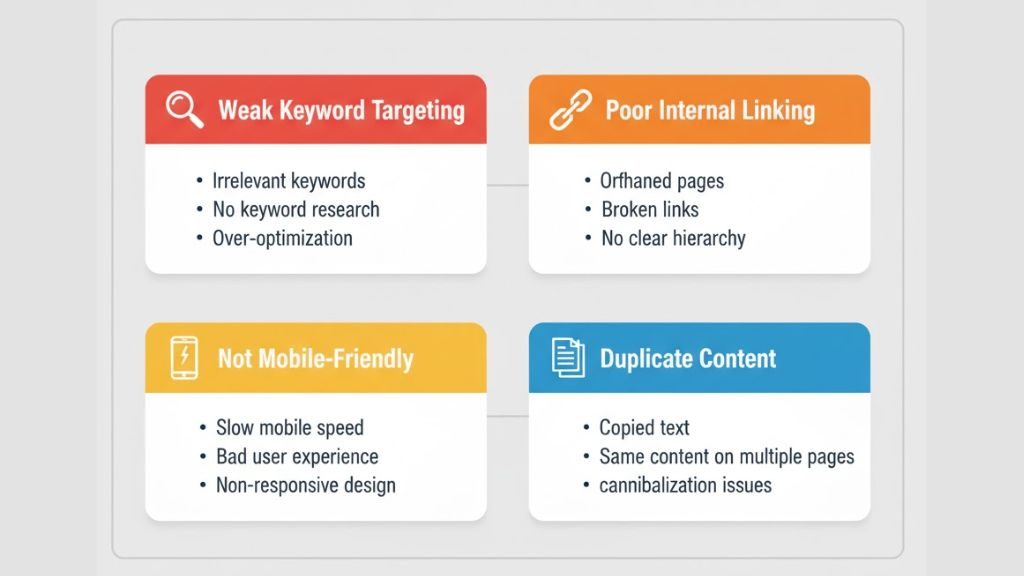
Here are some common SEO mistakes you should avoid:
-
Ignoring Keyword Research:
Writing content without knowing what people are searching for is like shooting in the dark. Always do keyword research before creating content so you target the right audience. -
Keyword Stuffing:
Using too many keywords makes your content sound unnatural and can hurt your rankings. Instead, use your main keyword naturally and include related words (LSI keywords) to keep it readable. -
Bad Title Tags & Meta Descriptions:
These are the first things users see in search results. A poorly written title and meta description can reduce clicks. Always write catchy, keyword-rich titles and descriptions. -
Not Optimising for Mobile:
Most people use their phones to browse the web. If your website isn’t mobile-friendly, visitors will leave quickly, and Google won’t rank your site high. -
Slow Website Speed:
A slow website frustrates users and lowers your SEO score. Compress images, remove unnecessary plugins, and use caching to make your site faster. -
Ignoring Internal Links:
Internal links help Google understand your site’s structure and keep visitors exploring your content. Add relevant links between your pages wherever it makes sense. -
Not Using Analytics:
Without checking tools like Google Analytics or Search Console, you won’t know what’s working or what’s broken. Regularly track your traffic and fix issues as they appear. -
Duplicate or Thin Content:
Copying content from other websites or from LLMs can harm your SEO. Always create original, unique, valuable, and detailed content that solves users’ problems. -
Neglecting Technical SEO:
Broken links, missing SSL (HTTPS), or poor site structure can block search engines from indexing your pages. Do regular SEO audits to catch these issues. -
Not Updating Old Content:
Outdated information or broken links make your site look neglected. Update old posts regularly to keep them fresh and relevant.
Conclusion
SEO is about creating a better experience for your visitors and helping them find what they need. It isn’t just about ranking.
By focusing on on-page, off-page, and technical SEO, you can build a strong foundation that attracts consistent organic traffic.
Use reliable SEO tools and analytics to track SEO performance.
Avoid the common mistakes that hold many websites back.
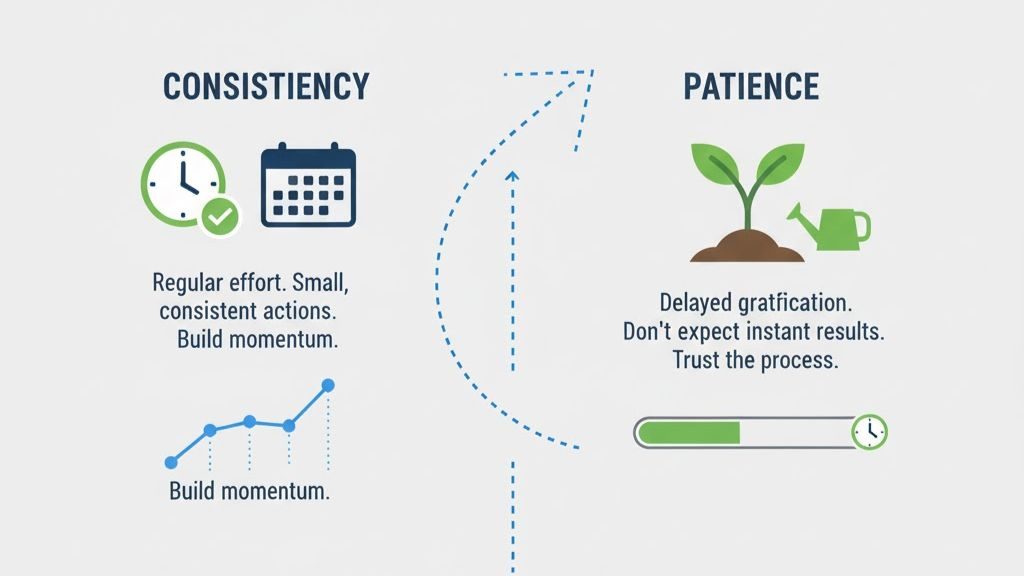
Remember, SEO takes time. It’s a long-term game. Keep learning, testing, and improving your site step by step.
Over time, your efforts will yield more visitors, increased trust, and improved results for your business.